Related Topics
Articles
View All Hover to load posts


Adobe Firefly feels like “Photoshop’s imagination engine”—powerful, commercially safe, and credit‑metered so budgets don’t explode. AI images for creatives, no copyright headache. The Standard $9.99 tier is plenty for social content; video‑heavy shops will gravitate to Premium or Creative Cloud Pro.
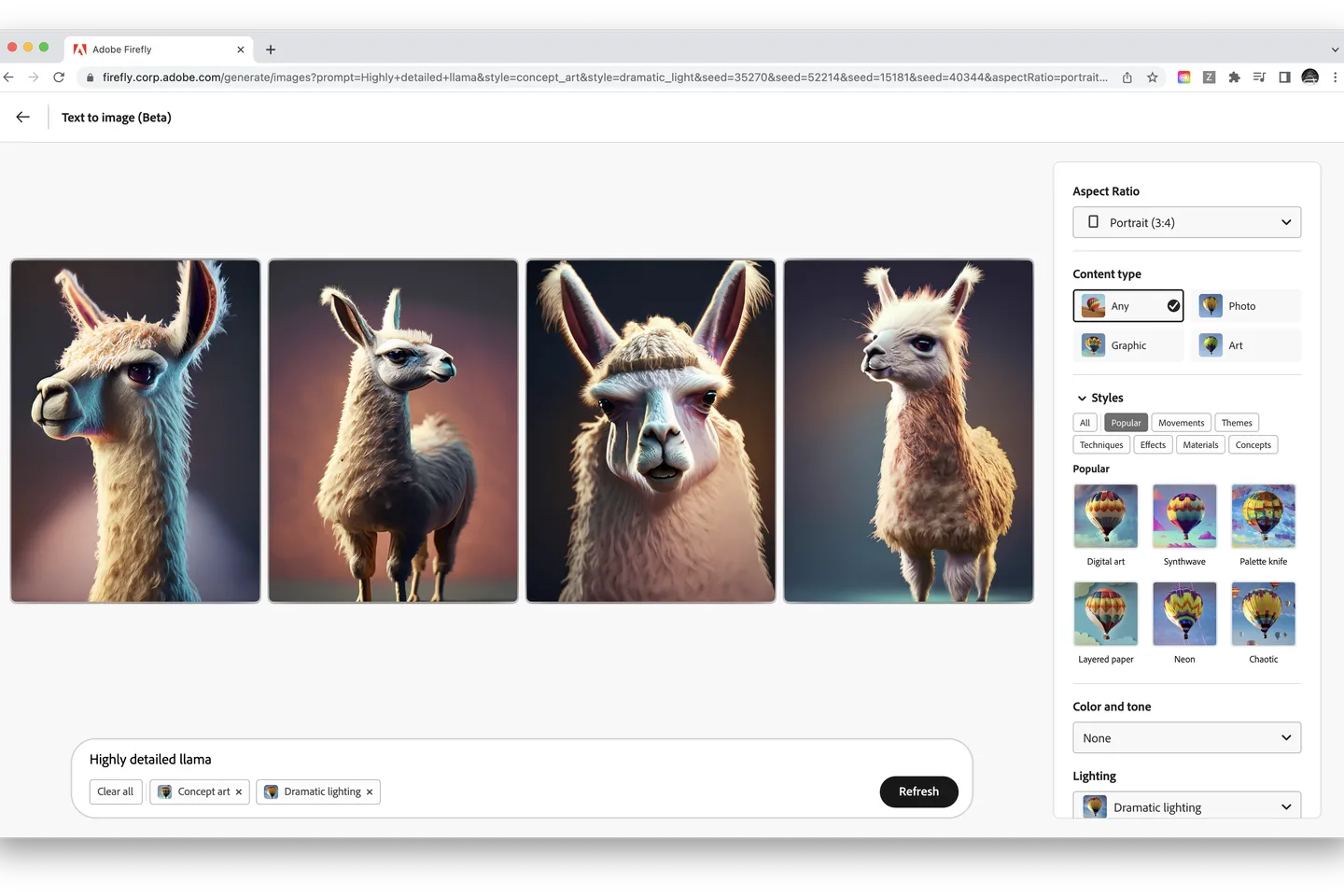
The big friction point with AI image generators is copyright. You'll know if you care about this. If you don't. then you should probably be using Midjourney (it's more accessible, and it creates better outputs).
But if you do, you'll want to see what Adobe is doing with Firefly, its suite of generative AI in image and video.
Adobe rightfully understands that it can offer a lot when it comes to AI in images. So while "text to image" is a starting point, they're also working on:

...and more.
Update 5/24/2023: Adobe has released Generative Fill, which is now available through the Adobe Firefly web app as well as Photoshop. It is very, very good! It matches its generations to the style and context of the image quite well. Hanne Van Briel did some very informative experiments on Twitter.
The jury's still out when it comes to copyright responsibility in AI image generations.
And while that's the case, if you care about this particular issue (either out of principle or potential risk purposes) it's often safer to use Adobe's tools, which were trained on public domain and openly licensed images, along with stock images Adobe has access to via Adobe Stock.
Adobe is also working on tools to denote images that were created with AI, as well as ways to compensate users who contributed images that resulted in certain generations.
While the focus on licensing and transparency is admirable, note that Firefly's output is currently less impressive than Midjourney. That's just what happens when you have less training data at the start.

Same prompt with Midjourney (left), Adobe Firefly (right)
But it can get better. AI image generators often generate multiple takes at an image and log which one you choose (or none of them). They then use that data to get better.
Gemini’s image generator has leveled up with Imagen 4. The biggest leap is typography: text finally looks legible and usable on posters, book covers, or marketing visuals—an area where past models struggled. Safety and provenance tools like SynthID watermarking and configurable filters give Gemini an edge for enterprise and education. Developers benefit from fine-grained controls (ratios, upscaling, in/out-painting) when building pipelines in Vertex AI. For now, the main tradeoff is no person generation in preview, which limits some creative use cases. Rate limits also apply to certain advanced variants.

Our go-to AI image generator. Midjourney V7 remains the “style king” of AI image generators. Draft Mode speeds iteration, and Omni Reference unlocks consistent characters—while the new video tool nudges the platform toward full‑motion storytelling. The only catch: GPU minutes burn quickly on lower tiers.

Among mainstream generators, OpenAI’s “useful image” angle is paying off. Text rendering (e.g., menus, posters, UIs) is clearer than many competitors, and multi-turn conversational refinement makes iteration fast and natural. The addition of C2PA provenance metadata and documented safety systems makes adoption easier for businesses and classrooms alike. Main caveats: some limitations remain (tight cropping, dense/multilingual text rendering, editing precision), and render times on highly detailed images can approach one minute. Still, for most users, the balance of accuracy + usability makes it a strong everyday generator.
The top and cheapest AI image generator. Stable Diffusion is the “Linux of generative art.” You can self‑host for $0, tap DreamStudio for a pay‑as‑you‑go GUI, or scale through the API. SD 3.5 narrows the quality gap with closed rivals, while ControlNet & LoRA keep the ecosystem miles ahead in flexibility. The trade‑offs? You’ll manage GPUs—or credits—and video clips are still bite‑sized.


Don't fall behind on AI. Get the AI trends & tools you need to know. Join 700,000+ professionals from top companies like Microsoft, Apple, Salesforce and more.
Property of TechnologyAdvice. © 2026 TechnologyAdvice. All Rights Reserved
Advertiser Disclosure: Some of the products that appear on this site are from companies from which TechnologyAdvice receives compensation. This compensation may impact how and where products appear on this site including, for example, the order in which they appear. TechnologyAdvice does not include all companies or all types of products available in the marketplace.