Related Topics
Articles
View All Hover to load posts


Gemini’s image generator has leveled up with Imagen 4. The biggest leap is typography: text finally looks legible and usable on posters, book covers, or marketing visuals—an area where past models struggled. Safety and provenance tools like SynthID watermarking and configurable filters give Gemini an edge for enterprise and education. Developers benefit from fine-grained controls (ratios, upscaling, in/out-painting) when building pipelines in Vertex AI. For now, the main tradeoff is no person generation in preview, which limits some creative use cases. Rate limits also apply to certain advanced variants.
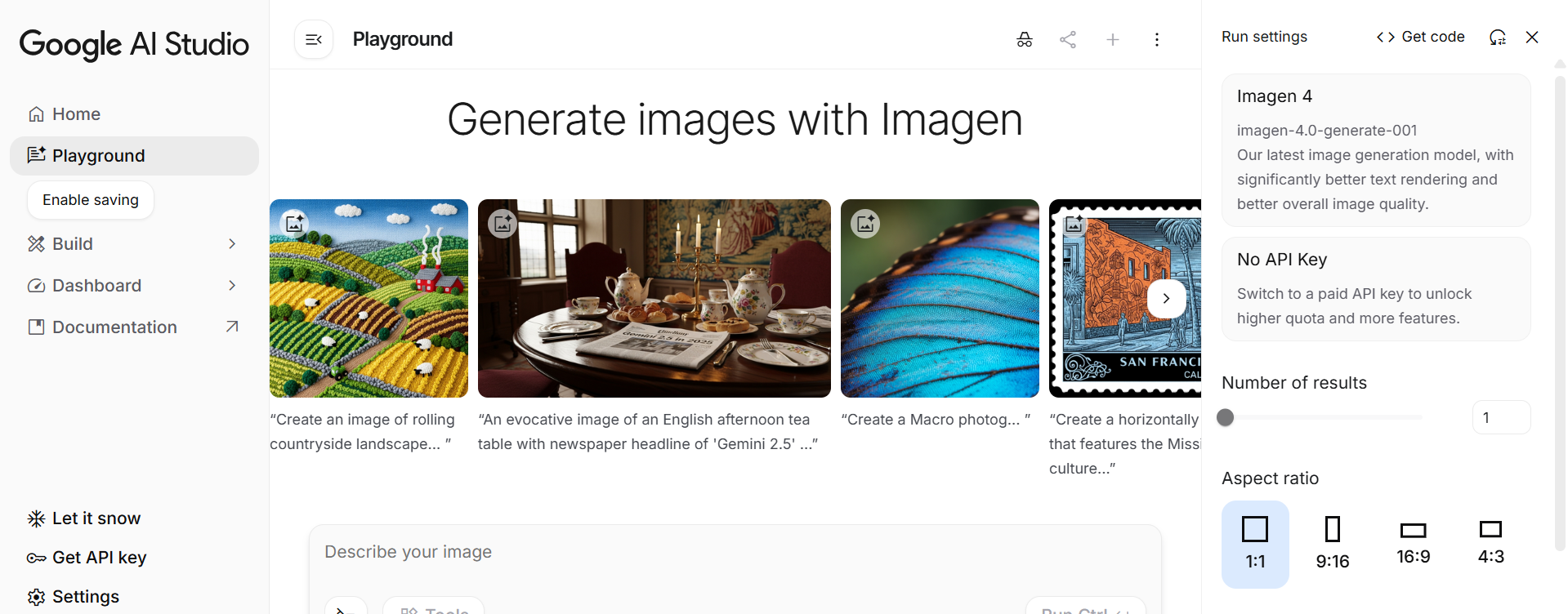
Gemini’s image generation serves creators & marketers who need fast, polished visuals; students & educators creating graphics and learning materials; product & design teams seeking commercial-ready imagery with provenance; and developers integrating AI image generation into apps or workflows with governance controls.
Gemini’s image generator has leveled up with Imagen 4. The biggest leap is typography: text finally looks legible and usable on posters, book covers, or marketing visuals—an area where past models struggled. Safety and provenance tools like SynthID watermarking and configurable filters give Gemini an edge for enterprise and education. Developers benefit from fine-grained controls (ratios, upscaling, in/out-painting) when building pipelines in Vertex AI. For now, the main tradeoff is no person generation in preview, which limits some creative use cases. Rate limits also apply to certain advanced variants.
Cost: Free to try; $19.99/month with Google AI Pro (U.S. plan)
Details: Higher limits, extra Gemini features, and storage
Cost: Imagen 4 Preview: $0.04/image (Standard), $0.06/image (Ultra)
Details: Pay per image; ideal for apps and scaling
Cost: ≈$0.039 per 1024×1024 image (token-based)
Details: Outputs priced at token equivalence
Cost: Pay-as-you-go (see Vertex AI pricing)
Details: Advanced governance & higher limits
Adobe Firefly feels like “Photoshop’s imagination engine”—powerful, commercially safe, and credit‑metered so budgets don’t explode. AI images for creatives, no copyright headache. The Standard $9.99 tier is plenty for social content; video‑heavy shops will gravitate to Premium or Creative Cloud Pro.

Our go-to AI image generator. Midjourney V7 remains the “style king” of AI image generators. Draft Mode speeds iteration, and Omni Reference unlocks consistent characters—while the new video tool nudges the platform toward full‑motion storytelling. The only catch: GPU minutes burn quickly on lower tiers.

Among mainstream generators, OpenAI’s “useful image” angle is paying off. Text rendering (e.g., menus, posters, UIs) is clearer than many competitors, and multi-turn conversational refinement makes iteration fast and natural. The addition of C2PA provenance metadata and documented safety systems makes adoption easier for businesses and classrooms alike. Main caveats: some limitations remain (tight cropping, dense/multilingual text rendering, editing precision), and render times on highly detailed images can approach one minute. Still, for most users, the balance of accuracy + usability makes it a strong everyday generator.
The top and cheapest AI image generator. Stable Diffusion is the “Linux of generative art.” You can self‑host for $0, tap DreamStudio for a pay‑as‑you‑go GUI, or scale through the API. SD 3.5 narrows the quality gap with closed rivals, while ControlNet & LoRA keep the ecosystem miles ahead in flexibility. The trade‑offs? You’ll manage GPUs—or credits—and video clips are still bite‑sized.


Don't fall behind on AI. Get the AI trends & tools you need to know. Join 700,000+ professionals from top companies like Microsoft, Apple, Salesforce and more.
Property of TechnologyAdvice. © 2026 TechnologyAdvice. All Rights Reserved
Advertiser Disclosure: Some of the products that appear on this site are from companies from which TechnologyAdvice receives compensation. This compensation may impact how and where products appear on this site including, for example, the order in which they appear. TechnologyAdvice does not include all companies or all types of products available in the marketplace.
Stay in the loop
Get notified when we publish new articles.