If there were any lingering doubts about the trajectory of AI scaling, this week effectively silenced them. While the tech world was watching NVIDIA smash earnings expectations, Google quietly dropped a nuclear payload on the industry: Gemini 3 Pro and the delightfully named Nano Banana Pro.
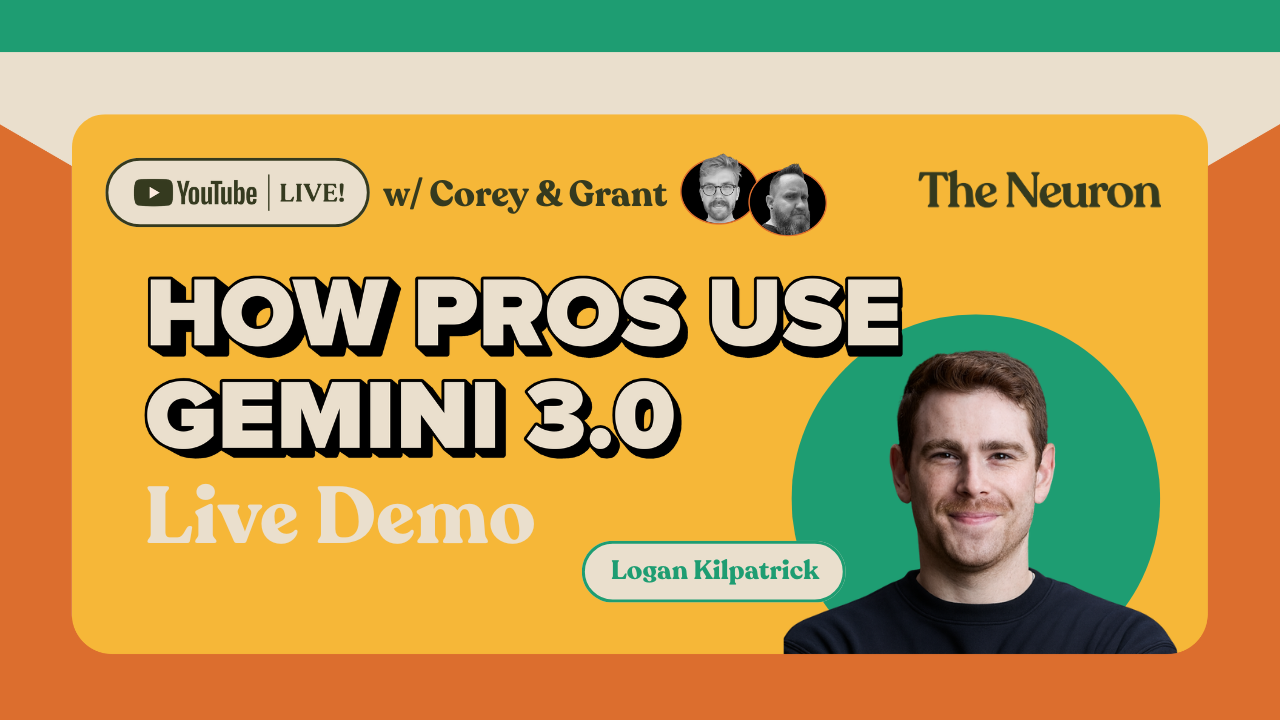
We spent the afternoon on The Neuron Live tearing into the new models, running live demos, and chatting with Google’s Logan Kilpatrick to figure out if this is just another incremental update or a true generational leap.
The verdict? We might need to update our "AGI by 2027" timelines.
Here’s our favorite moments from the live-stream:
- (10:02) The launch week reality: Why shipping relieves organizational pressure but creates new challenges around scaling for millions of users.
- (11:20) The benchmark problem nobody talks about: Why SWE-Bench Verified results can't be compared across labs appropriately, since each uses custom agent harnesses they don't disclose.
- (13:26) Logan's personal benchmark philosophy: He likes the breadth of custom benchmarks over the “legacy benchmarks” as a signal for real progress, but both are important.
- (18:03) Why Nano Banana became a phenomenon: The quirky naming strategy that helped differentiate from the broader "Gemini" brand.
- (19:46) The iOS clone that blew Logan's mind: Someone live-coded a fully functional iOS lookalike using the new anti-gravity developer environment.
- (20:10) Inside AI Studio's gallery: Logan walks through the breadth of what's possible—from interactive landing pages to studio-quality image editing.
- (22:43) Why games changed everything for Logan: The massive gap between games you enjoy and games you can build just got way smaller
- (27:00) The kinetic shapes breakthrough: 20 simultaneous physics. simulations with different properties—in one prompt. Six months ago, models struggled with a single bouncing ball.
- (29:09) Prompting advice that matters: "You don't have to be a prompt magician"—Logan shows single-sentence prompts that create complex apps.
- (31:22) The "I'm feeling lucky" button: AI Studio will literally come up with app ideas for you if you can't think of what to build.
- (45:31) Why betting against AI scaling is confusing: Logan's take on the bearish crowd—"if you just follow the chart of progress, it continues to be true that models keep getting better."
- (46:37) TPUs as Google's secret weapon: The full-stack approach matters—co-designing model architecture with custom hardware gives Google a differentiated edge.
Then we pushed Gemini 3.0 to its limits:
- (1:03:26) The VHS tape simulator: Creating a fully functional retro CRT television with VHS artifacts, tracking adjustment, and that classic giant rabbit test footage.
- (1:07:02) Pantry Chef app from a napkin sketch: We literally drew boxes with a mouse, uploaded photos of a real fridge/freezer/cabinet, and got meal suggestions with full recipes and calorie counts.
- (1:11:08) Portal game with GLaDOS: Testing physics engines—creating a Portal-style game with working portals and acid pits (the controls took some iteration).
- (1:38:03) Digital advent calendar app: Daily unlocking content, cat-themed challenges, and Duolingo-style streak tracking—complete with a dev mode to test all days.
- (1:56:03) Cat Doom gets terrifying: Creating a first-person shooter with nightmare-fuel giant cats, catnip blasters, and nine lives—the consistent 3D world state was genuinely impressive.
- (1:59:29) Pac-Man but make it cats: We asked for a cat-themed Pac-Man and got literal Pac-Man, so we iterated until the character actually looked like a cat (plus speed sliders and zoom controls).
Practical takeaway: If you're choosing between frontier models or learning to vibe code, watch Logan demonstrate AI Studio's workflow. The design aesthetics alone are “incredible”, and the fact that you can create multiplayer games or interactive experiences in under 100 seconds shows where vibe coding is headed.
Plus, our custom Cat Doom benchmark (yes, we're making this a thing) proves that consistent 3D world generation still needs work, but we're getting close!
The Spec Sheet: Breaking the Benchmarks
Before we even opened the tool, the numbers on the spec sheet told a wild story. The most shocking metric came from the ARC AGI 2 benchmark. This test is designed to measure true intelligence (adaptability) rather than just memorization. Previous models, including Gemini 2.5, hovered around 4.9%. Gemini 3 Pro rocketed to 31.1%.
In the world of AI benchmarks, you usually fight for single percentage points. A 26-point jump isn't an update; it's a different species of software.
We also saw massive gains in Humanity’s Last Exam (jumping from 21% to 45.8% with tools) and Math, where the model scored a perfect 100% on the AIM test when allowed to write its own code.
The Rise of "Vibe Coding"
The central theme of the launch—and our conversation with Logan—was "Vibe Coding." This is the shift from writing syntax to simply describing an outcome and letting the model handle the heavy lifting.
Logan Kilpatrick, Head of AI Studio at Google DeepMind, joined us to explain that the "floor for creators keeps going up." To prove it, he showed off a demo where a user built a fully functional, scrollable iOS clone inside the browser using Google AI Studio.
"The reality of vibe coding is that it’s an iterative process," Logan told us. "But you should be ambitious. If you want 30 things, ask for 30 things in the first prompt. The model is smart enough now to handle the logic."
Putting It to the Test: The Demos
We didn't just take the spec sheet's word for it. We pushed Gemini 3 Pro to its absolute breaking point live on air.
1. The Napkin Test
We started with a crude, MS-Paint-style sketch of an app called "Pantry Chef"—literally squares and scribbles representing a photo uploader and a recipe list. We fed the image to Gemini 3 with a simple instruction: "Turn this into an app."
In under 100 seconds, it wrote the code and deployed a functional web app. We uploaded photos of a fridge and a pantry, and the app successfully identified the ingredients and generated recipes (Sausage and Bell Pepper Pasta) with calorie counts. It even nailed the UI layout from the sketch.
After that, we built a version of our Advent Calendar app idea (prompt below) and
2. The Gaming Gauntlet
We tried to build "Cat Doom"—a 3D first-person shooter where you fight giant cats. The first attempt was a glitchy nightmare (walls that didn't exist, enemies that didn't die). But this highlighted the reality of Vibe Coding: it’s about the feedback loop. After telling Gemini, "The walls are wonky and I need a map," it rewrote the physics engine. The second version had solid walls, a working weapon system, and a coherent maze.
We also built a Pac-Man clone called "Purr Man." While the "Cat Pac-Man" looked suspiciously like a regular yellow circle, the game mechanics—pathfinding ghosts, pellet consumption, speed sliders—worked perfectly on the first try.
3. Nano Banana Pro
Perhaps the biggest surprise was the new image model, Nano Banana Pro. Beyond the meme-worthy name, its text-rendering capabilities are industry-leading. We took a dense paragraph from a Neuron newsletter and asked it to render the text onto a 3D image of a soda can.
Usually, AI turns text into gibberish. Nano Banana Pro rendered the summary perfectly, wrapping the text around the curvature of the can with correct perspective. It seems to have a "hard cap" of around 100 words for perfect fidelity, but for product mockups, it’s a game-changer.
To try these yourself, just go to AI Studio > Build (or https://aistudio.google.com/apps) and enter your prompts there.
The Hardware Advantage
One of the most interesting takeaways from Logan was the "Symbiosis" of Google’s stack. Unlike competitors who rely on third-party chips, Google trains Gemini on its own 7th-generation TPUs. This allows them to co-design the hardware and the software simultaneously. It’s a vertical integration advantage that is clearly starting to pay dividends in how fast they can scale and deploy these models.
Here are the rest of the unique insights, predictions, and actionable takeaways from the session:
The State of AI & Scaling
- (01:56) The AI bubble isn't popping; it's hardening.The combination of Nvidia’s massive earnings and the Gemini 3 launch signals that the industry is not slowing down. The hosts suggest we update the "AI Hype Cycle" chart to show we are still in the acceleration phase.
- (03:06) Scaling has not hit a wall.Contrary to rumors that LLMs have plateaued, Gemini 3 proves that scaling laws are holding strong. The breakthrough wasn't a "magic trick" but rather optimized pre-training, post-training, and the use of Google's custom TPUs to break through previous compute bottlenecks.
Benchmarks & "Intelligence" vs. Memorization
- (07:29) The "Intelligence" leap in ARC-AGI.Gemini 3 made a massive jump on the ARC-AGI 2 benchmark (from 4.9% to 31.1%). This is significant because ARC measures action efficiency (learning new tasks on the fly) rather than memorization, suggesting the model is moving toward true reasoning rather than just reciting training data.
- (11:02) Scaffolding is a new scaling dimension.Logan Kilpatrick (Google) notes that "model scaffolding" (the harness, tools, and environment you give the AI) is now as important as the model weights. A model’s performance on benchmarks like "Sweet Bench Verified" depends heavily on the agentic environment it runs in, making apples-to-apples comparisons difficult between labs.
- (14:02) The "Big Model Smell" Test. Logan’s personal heuristic for judging a model isn't just coding ability, but movement on "legacy" benchmarks like MMLU Pro and GPQA Diamond. Because these are incredibly hard to hill-climb, any significant movement there signals a fundamental leap in capability.
Product Strategy & "Vibe Coding"
- (19:07) The "Nano Banana" Naming Strategy.The team discusses the oddly named "Nano Banana" (referring to the new image/creative model). The insight is that using silly or "meme" names diffuses the corporate seriousness of the main brand (Gemini), allowing for more organic, viral marketing and lowering the barrier for casual users to experiment.
- (25:36) Future Forecast: Distribution is the new bottleneck.You can now "vibe code" multiplayer games in 100 seconds, but the challenge shifts from creation to distribution. Logan predicts the next big unlock will be seamless deployment—taking a "vibe coded" app in AI Studio and instantly pushing it to the Google Play Store or a persistent URL with database support.
- (30:25) Simulation Capabilities.A demonstration of "Kinetic Shapes" shows the model running 20 continuous, distinct physics simulations simultaneously in a single browser window. This moves beyond static code generation into complex, real-time physics handling via a single prompt.
Actionable Takeaways for Users
- (34:51) Prompting Advice: Be Ambitious.Logan advises against "piecemeal prompting." Instead of asking for 5 features, ask for the full 30 items in your initial prompt. Gemini 3 has enough logic handling to architect the full solution upfront, whereas older models needed to be spoon-fed step-by-step.
- (58:49) Workflow: Napkin Sketch to App.Actionable workflow: You can now draw a rough UI on a physical napkin, upload a photo of it to AI Studio, and Gemini 3 will interpret the layout to build a functional web app. This effectively kills the "wireframing" phase for rapid prototyping.
Hardware & Infrastructure
- (46:44) The Full Stack Advantage.A key insight into why Google is moving fast: They don't just buy GPUs; they co-design the model architecture with their custom TPUs (Tensor Processing Units). This symbiosis allows them to optimize training runs in ways companies relying solely on Nvidia hardware cannot.
💰 How to Turn "Vibe Coding" into Actual Money
It’s easy to look at us building "Cat Doom" or a "Pantry Chef" app and think, “Cool toy, but how does this help my Q4 OKRs?”
We scanned everything we did on the stream—from the failures to the breakthroughs—and realized there are massive, immediate business applications hiding in Gemini 3.
- Napkin-to-App Prototyping:
- Context: Grant drew a crude "Pantry Chef" UI on a digital whiteboard/napkin.
- Use Case: Rapid prototyping. Taking a client's rough scribble during a coffee meeting and deploying a working, interactive prototype before the meeting ends.
- Nano Banana Product Mockups (Text Rendering):
- Context: Rendering the Neuron newsletter text onto a 3D soda can with perfect perspective.
- Use Case: Instant packaging visualization. Translating labels for international markets (e.g., English to Japanese) and visualizing them on the 3D product instantly to check spacing and aesthetics.
- "Vibe Coding" for Custom Utilities:
- Context: Building a file converter (AVIF to JPEG) because the host didn't want to use a "sketchy website."
- Use Case: Building secure, internal micro-tools for employees so they don't upload company data to public internet utilities.
- Gamified Marketing/Engagement:
- Context: Building a "Cat Cafe" website and "Cat Doom" game.
- Use Case: Creating "Playable Ads" or branded mini-games for event booths or landing pages to increase dwell time.
- Interactive Data/Document Interaction:
- Context: Logan mentions lawyers and scientists using the model to "visualize" complex text or create interactive learning experiences from papers.
- Use Case: Uploading a complex SOP (Standard Operating Procedure) or technical manual and having the AI build a "simulated training scenario" rather than just a chatbot Q&A.
- Structured Market Research (JSON):
- Context: The "Code Scout 2025" demo that searched the web and outputted a ranked list in JSON schema.
- Use Case: Automated competitive intelligence dashboards. Regularly scraping and ranking competitor pricing/features and feeding that structured data directly into a CRM or internal dashboard.
- The Socratic Tutor:
- Context: The math tutor prompt that asks questions rather than giving answers.
- Use Case: Corporate training bots that force employees to think through compliance or safety scenarios rather than just clicking "Next."
Based on the above, here are 5 ways to use these new features to make (or save) money tomorrow:
1. The "Napkin" Consultant (Rapid Prototyping)
We turned a scribbled square and three lines into a working recipe app in 100 seconds.
- The Business Play: If you work in an agency or product management, stop writing Product Requirement Documents (PRDs). Sketch the idea during the client meeting, take a picture, and send them a link to a working prototype before you leave the conference room.
- The Prompt: "Convert this hand-drawn sketch into a fully functional [React/HTML] web application. interpret the handwritten layout for a [specific industry] tool."
2. Secure Micro-Tools for IT
Grant mentioned building an image converter because he didn't trust random websites with his files.
- The Business Play: Every company has employees uploading sensitive PDFs or data to sketchy "Free Online Converters." Use Gemini 3 to build secure, internal versions of these tools (PDF mergers, format converters, data cleaners) that run locally or on your private cloud. It takes 2 minutes and closes a massive security gap.
3. Hyper-Personalized Packaging Mockups
Nano Banana Pro successfully wrapped our newsletter text around a 3D soda can with perfect physics and perspective.
- The Business Play: CPG (Consumer Packaged Goods) brands can use this for instant localization testing. Instead of paying a designer to render what your label looks like in German, Hindi, or Japanese, ask Nano Banana to "Render this product label in [Language] on a [Product Type] with studio lighting." You can also generate hyper-personalized client gifts (e.g., a wine bottle with the client's specific contract details etched on the label) for pitches.
4. The "Playable" Landing Page
We built a Pac-Man clone and a text-based noir game live on air.
- The Business Play: Stop making boring "Contact Us" pages. "Vibe Code" a simple, branded mini-game for your landing page where the "score" unlocks a discount code. It increases time-on-site (a huge SEO signal) and engagement.
- The Prompt: "Create a simple browser game based on [Your Industry] where the player has to collect [Product] and avoid [Pain Point]. When they win, display this coupon code."
5. "Living" Employee Handbooks
Logan mentioned that scientists are using Gemini to turn dense papers into "interactive visualizations."
- The Business Play: Nobody reads the compliance PDF. Upload your SOPs or Employee Handbook to Gemini 3 and ask it to "Build a text-based 'Choose Your Own Adventure' simulation that tests a user on these safety protocols. Give them a scenario, ask what they should do, and explain the consequences based on the uploaded document." Suddenly, compliance training is a game, not a chore.
The Prompts We Used
First, we tested a very basic prompt that was suggested by the audience.
PROMPT:
Act as a Front-End Archeologist and video engineer from 1987. Create a video player web app that simulates watching a worn-out VHS tape on an old CRT television
Here is the result: RetroVision.
Then we tested another one that aimed to create a portal-themed web browser game:
PROMPT:
"Simulate a simple static portal level. next step would be portal gun. another idea: see what happens when two portals are on moving surfaces and close around you."
Result: janky portal browser game
In addition to those two, we tested out some more practical prompts, but they didn't make for nearly as "good TV"as the other ones did. Here is the deep research project and a video analyzer we built, with the prompt for those below.
Finally, we ran our newly established "cat cafe" benchmark for Gemini 3.0 (here's the Gemini 3.0 version) against our original Gemini 2.5 Build version using the following prompt.
PROMPT:
Create a landing page for a high-tech cat cafe in Shibuya, Tokyo called 'CyberPurr & Brew.' The design aesthetic should be 'Futuristic Cozy'—blending a sleek, dark-mode UI with neon cyan accents and warm espresso-brown tones. The vibe is sophisticated and tech-forward, appealing to digital nomads and tech tourists.Key Features:Hero Section: A full-width video background of latte art being poured with a cat watching in the foreground. Headline: 'Tokyo’s First Smart Cat Cafe.'The Cats: A 'Meet the Squad' section using a masonry grid layout. Each card features a high-quality photo of a cat with 'Tech Specs' (e.g., Energy Level: 90%, Cuddliness: 100%).The Coffee: A split-screen section showcasing third-wave coffee equipment and a digital menu with tasting notes.Gallery: A scrolling carousel of high-res images showing cats interacting with modern tech toys.Footer: Include a Google Map location in Tokyo, links to social media, and a 'Book a Pod' button
We'd say besides the stock images being completely unrelated to cats or cafes, the Gemini 3.0 website was a definite improvement over the 2.5 version, but some of the other options in our "How to build a website" livestream came out of the box feeling a bit more feature complete. However, with some different prompt engineering and steering, we probably could have got a lot closer to what we envisioned when we made the cafe cafe benchmark.
Here are the rest of the (long) prompts we tested.
🎯 Demo 1: Napkin Sketch → Full App (4 min)
PROMPT:
xml
<objective>
Convert a hand-drawn napkin sketch into a fully functional web application by interpreting the handwritten layout, UI elements, and user intent.
</objective>
<input_provided>
[ATTACH IMAGE: Hand-drawn sketch showing rough wireframe/layout]
</input_provided>
<interpretation_requirements>
1. HANDWRITING RECOGNITION
- Parse any handwritten labels, button text, or annotations
- Infer meaning from abbreviated or messy text
- Identify UI element types from sketched shapes (rectangles = buttons, circles = icons, etc.)
2. LAYOUT UNDERSTANDING
- Determine spatial relationships between elements
- Identify headers, navigation, content areas, sidebars, footers
- Preserve the sketch's intended hierarchy and flow
3. FUNCTIONALITY INFERENCE
- Deduce interactive behaviors from element placement and labels
- Assume standard web patterns (nav links, form submissions, button clicks)
- Add realistic placeholder content where appropriate
</interpretation_requirements>
<technical_specifications>
BUILD:
- Single-page HTML application
- Inline CSS for styling
- Vanilla JavaScript for interactivity
- Responsive design (mobile and desktop)
- Modern, clean aesthetic that elevates the sketch
INTERACTIVITY:
- All buttons must have working click handlers with console logs
- Forms must validate and show success messages
- Navigation links must scroll to sections or show/hide content
- Include hover states and transitions
</technical_specifications>
<output_format>
Deliver a complete HTML file containing:
1. Semantic HTML structure matching the sketch layout
2. Professional CSS styling (color scheme, typography, spacing)
3. Functional JavaScript for all interactive elements
4. Comments explaining how sketch elements were interpreted
</output_format>
<success_criteria>
The application:
- Accurately reflects the sketch's layout and intent
- All labeled elements are functional
- Looks professional and polished
- Runs without errors in any modern browser
</success_criteria>
🚀 Demo 2: Grounding + Search + Structured Output (10 min)
PROMPT:
xml
<objective>
Search the web for the top 10 AI coding tools launched in 2025, extract current information (pricing, funding, features), and output results as structured JSON matching a specific schema.
</objective>
<task_requirements>
1. WEB SEARCH & DATA GATHERING
- Find AI coding tools launched in 2025
- Verify launch dates (exclude pre-2025 tools)
- Gather: pricing, funding status, key features, website URL
- Prioritize official sources (company websites, press releases)
2. DATA VALIDATION
- Confirm accuracy of pricing information
- Verify funding amounts from reliable sources (Crunchbase, press releases)
- Ensure feature lists are current and accurate
3. STRUCTURED OUTPUT GENERATION
- Format all data according to provided JSON schema
- Handle missing data gracefully (use null or "Not disclosed")
- Ensure valid JSON syntax
4. RANKING ALGORITHM
- Rank tools by "best value for indie developers"
- Factors: price, features, ease of use, community support
- Provide brief justification for each ranking
</task_requirements>
<json_schema>
Output must match this schema exactly:
```json
{
"search_date": "YYYY-MM-DD",
"tools": [
{
"rank": 1,
"name": "Tool Name",
"launch_date": "YYYY-MM-DD",
"website": "https://...",
"pricing": {
"free_tier": true/false,
"starting_price": "$X/month" or "Free",
"enterprise_available": true/false
},
"funding": {
"total_raised": "$XM",
"latest_round": "Series A",
"date": "YYYY-MM",
"investors": ["Investor 1", "Investor 2"]
},
"key_features": [
"Feature 1",
"Feature 2",
"Feature 3"
],
"ideal_for": "Brief description of target user",
"indie_dev_value_score": 8.5,
"ranking_justification": "Why this ranks here for indie devs"
}
],
"ranking_criteria": "Explanation of how indie dev value was calculated"
}
```
</json_schema>
<output_format>
Provide:
1. RESEARCH SUMMARY
- Number of tools evaluated
- Sources consulted
- Data currency verification
2. STRUCTURED JSON OUTPUT
[Complete JSON matching schema exactly]
3. RANKING EXPLANATION
- Methodology for "indie dev value" score
- Key factors weighted
- Why top 3 tools lead the list
4. DATA CONFIDENCE ASSESSMENT
- Which fields have 100% verified data
- Which fields may be estimates or incomplete
- Sources for each tool's information
</output_format>
<success_criteria>
The response:
- Uses real-time web search to find current information
- Returns valid JSON with zero syntax errors
- Includes all 10 tools with complete data
- Ranking is logical and justified
- All pricing and funding info is accurate as of November 2025
- Links to verifiable sources
</success_criteria>
🚀 Demo 3: Retro Game from Single Prompt (12 min)
PROMPT:
xml
<objective>
Create a fully playable retro-style arcade game inspired by Pac-Man, featuring cats and yarn balls, with classic arcade aesthetics, simple controls, and increasing difficulty.
</objective>
<game_design_requirements>
CORE GAMEPLAY:
- Player controls a cat character
- Goal: Collect all yarn balls on the screen
- Avoid enemy cats patrolling the maze
- Power-up: Catnip that lets player chase enemies temporarily
- Lives system: Start with 3 lives
- Score tracking with high score persistence
VISUAL STYLE:
- Pixel art aesthetic (8-16 bit era)
- Retro color palette (limited colors, high contrast)
- CRT screen effect optional
- Sprite-based graphics (not realistic)
MAZE DESIGN:
- Grid-based layout similar to Pac-Man
- Walls create a maze structure
- Strategic paths and corners
- Yarn balls placed at every intersection and corridor
- 4 power-up catnip spawns in corners
ENEMY AI:
- 4 enemy cats with different behaviors:
* Red cat: Aggressive chaser
* Blue cat: Tries to cut off player
* Orange cat: Random movement
* Pink cat: Patrols specific zones
- Enemies become faster each level
- When powered up, enemies flee and can be caught
GAME MECHANICS:
- Keyboard controls: Arrow keys or WASD
- Smooth grid-based movement
- Collision detection
- Level progression (clear all yarn = next level)
- Increasing difficulty (faster enemies, shorter power-ups)
AUDIO (Optional):
- Sound effects for: eating yarn, power-up, death, level complete
- Retro 8-bit style sounds
</game_design_requirements>
<technical_specifications>
BUILD:
- HTML5 Canvas for rendering
- Vanilla JavaScript for game logic
- 60 FPS game loop
- Responsive controls with no input lag
GAME STATE MANAGEMENT:
- Menu screen
- Active gameplay
- Pause functionality
- Game over screen with score
- High score persistence (localStorage)
PERFORMANCE:
- Smooth animation
- No frame drops
- Efficient collision detection
- Clean code architecture (separated concerns)
</technical_specifications>
<output_format>
Deliver a single HTML file containing:
1. Complete game code with inline JavaScript
2. Inline CSS for retro styling
3. Canvas-based rendering system
4. All game logic:
- Player movement
- Enemy AI (4 different behaviors)
- Collision detection
- Scoring system
- Level progression
- Lives management
5. UI elements:
- Score display
- Lives counter
- Level indicator
- Start/pause/game over screens
CONTROLS DOCUMENTATION (in comments):
- Arrow keys or WASD to move
- P to pause
- R to restart
</output_format>
<success_criteria>
The game:
- Runs immediately when HTML file is opened
- Feels like a classic arcade game
- All mechanics work perfectly (movement, collisions, scoring)
- Enemy AI behaves distinctly across 4 cats
- Difficulty increases noticeably each level
- High score persists between sessions
- Playable for 15+ minutes with increasing challenge
- No bugs or game-breaking issues
- Retro aesthetic is authentic and appealing
</success_criteria>
🚀 Demo 4: Advent Calendar App (12 min)
PROMPT:
xml
<objective>
Create an interactive advent calendar app similar to Duolingo's engagement model, where users unlock daily content (cat-themed Christmas videos), complete holiday challenges, and maintain streaks with gamification elements.
</objective>
<core_features>
1. CALENDAR INTERFACE
- 25 day grid (December 1-25)
- Each day is a card/tile
- Locked days show until available
- Current day is highlighted
- Past days show completion status
2. DAILY CONTENT
- Each day unlocks at midnight
- Generated cat-themed Christmas video (simulated)
- Holiday challenge text (e.g., "Watch Home Alone tonight", "Drink hot chocolate")
- Reflection prompt or journal entry
3. GAMIFICATION
- Streak counter (consecutive days accessed)
- Badges for milestones (3-day, 7-day, perfect month)
- Points system for completing challenges
- Progress bar to Christmas
- Celebratory animations on unlock
4. VIDEO GENERATION (SIMULATED)
- Each day shows a different cat-themed holiday scene
- Examples: "Cat decorating tree", "Cat in snow", "Cat by fireplace"
- Short videos (15-30 seconds)
- Share button for social media
5. CHALLENGE SYSTEM
- Daily challenge tied to holiday theme
- Checkbox to mark complete
- Bonus points for completing all challenges in a week
- Push notifications reminder (opt-in)
6. PERSONALIZATION
- User can set custom countdown date (birthday, graduation, etc.)
- Theme selection (Christmas, Hanukkah, generic winter)
- Custom challenges for non-December countdowns
</core_features>
<technical_specifications>
DATA PERSISTENCE:
- LocalStorage for user progress
- Track: days visited, challenges completed, streak count
- Badge achievement status
- Last visit timestamp
UNLOCK LOGIC:
- Day unlocks at 00:00 local time
- Can't access future days
- Past days remain accessible
- Demo mode: unlock all days for testing
VIDEO DISPLAY:
- Embedded video player
- Placeholder videos (can use video URLs or canvas animations)
- Autoplay on day unlock
- Replay button
UI/UX:
- Festive design (holiday colors, snow effects)
- Smooth animations for unlocking days
- Confetti effect on challenge completion
- Mobile-responsive grid layout
NOTIFICATION SYSTEM:
- Browser notification permission request
- Daily reminder at user-selected time
- Streak reminder if user hasn't visited
</technical_specifications>
<output_format>
Deliver a single HTML file containing:
1. CALENDAR GRID VIEW
- 5x5 grid for 25 days
- Each tile shows:
* Day number
* Lock icon (if locked)
* Checkmark (if completed)
* Flame icon (if current streak day)
2. DAY DETAIL VIEW (when day clicked)
- Large video player
- Challenge description
- "Mark Complete" button
- Points earned display
- Share button
3. PROFILE/STATS VIEW
- Current streak count with flame icon
- Total points
- Badges earned (displayed as icons)
- Progress to next badge
- Overall completion percentage
4. SETTINGS PANEL
- Notification preferences
- Theme selector
- Countdown customization:
* Switch to birthday/pregnancy/graduation countdown
* Set custom date
* Custom challenge inputs
- Reset progress button
5. DEMO MODE TOGGLE
- "Unlock All Days" for testing
- Visible only in development
</output_format>
<example_challenges>
December 1: "Start a holiday movie marathon - watch one tonight!"
December 5: "Make hot chocolate and share a cup with someone"
December 10: "Write a letter to someone you appreciate"
December 15: "Listen to your favorite holiday music album"
December 20: "Bake holiday cookies"
December 24: "Set out milk and cookies"
December 25: "Open presents and enjoy the day!"
</example_challenges>
<gamification_details>
STREAK SYSTEM:
- Day 1: 🔥 1-day streak
- Day 3: 🎁 First badge: "Getting Started"
- Day 7: ⭐ Second badge: "One Week Wonder"
- Day 14: 🌟 Third badge: "Halfway Hero"
- Day 25: 🏆 Grand prize badge: "Perfect December"
POINTS:
- Daily visit: 10 points
- Complete challenge: 25 points
- Maintain streak: 5 bonus points/day
- Weekly perfection: 50 bonus points
</gamification_details>
<success_criteria>
The app:
- Locks future days, unlocks past/current days
- Tracks streak accurately across days
- Displays videos for each day (placeholder or real)
- Challenge completion persists across sessions
- Badges unlock at correct milestones
- Can be customized for non-Christmas countdowns
- Mobile-friendly and responsive
- Includes festive animations and effects
- Sends notifications if enabled
- Data persists through browser refreshes
</success_criteria>
🚀 Demo 5: Doom with Cats (15 min)
PROMPT:
xml
<objective>
Create a fully playable first-person shooter game inspired by classic Doom, but replace all elements with a cat theme: player is a cat, enemies are evil cats, weapons shoot yarn balls and catnip. Maintain Doom's gameplay and maze structure but make it cute and cat-themed.
</objective>
<game_design_requirements>
GAMEPLAY MECHANICS:
- First-person perspective (FPS)
- WASD movement + mouse look
- Shoot projectiles (yarn balls/catnip)
- Health system (cat has 9 lives displayed as health bar)
- Ammo system (yarn ball count, catnip power)
- Enemy cats that patrol and attack
- Multiple weapon types:
* Yarn ball gun (basic weapon, infinite ammo)
* Catnip blaster (power weapon, limited ammo)
* Scratching posts (melee weapon)
LEVEL DESIGN:
- 3D maze structure inspired by Doom
- Textured walls (cat-themed patterns)
- Collectible items: yarn balls, fish treats (health), catnip (ammo)
- Multiple rooms connected by corridors
- Secret areas with bonus items
ENEMY TYPES:
- Basic evil cat: slow movement, weak attacks
- Fast ninja cat: quick, dodges attacks
- Tank cat: slow but high health, strong attacks
- Boss cat: Large, multiple attack patterns
VISUAL STYLE:
- Low-poly 3D graphics (Doom aesthetic)
- Cat-themed textures throughout
- Cute but maintains action game tension
- Health/ammo HUD with cat icons
AUDIO:
- Meow sound effects for attacks
- Purring when collecting health
- Hissing enemies
- Retro game music
</game_design_requirements>
<technical_specifications>
RENDERING:
- Use Three.js for 3D rendering
- Raycasting for FPS perspective
- Texture mapping for walls and sprites
- Sprite billboarding for enemies
GAME ENGINE:
- 60 FPS game loop
- Physics for projectile movement
- Collision detection (walls, enemies, projectiles)
- AI for enemy behavior (patrol, chase, attack)
CONTROLS:
- WASD: Movement
- Mouse: Look around
- Left Click: Shoot
- R: Reload
- E: Interact/open doors
- 1, 2, 3: Switch weapons
- ESC: Pause menu
PERFORMANCE:
- Efficient rendering (frustum culling)
- Level streaming for larger maps
- Optimized collision checks
</technical_specifications>
<output_format>
Deliver a single HTML file containing:
1. Three.js library import (CDN)
2. Complete FPS game engine
3. 3D level geometry (maze layout)
4. Player controller (movement + camera)
5. Weapon system with shooting mechanics
6. Enemy AI with pathfinding
7. Collision detection system
8. HUD overlay showing:
- Health (9 lives as cat icons)
- Ammo counter
- Current weapon
- Mini-map
9. Start menu and pause menu
10. Simple texture generation (procedural cat patterns)
LEVEL STRUCTURE:
- Start room with tutorial text
- 5-7 connected rooms with corridors
- 10-15 enemy cats placed throughout
- Collectibles scattered around
- Exit door to "level complete" screen
</output_format>
<success_criteria>
The game:
- Loads and runs immediately in browser
- First-person controls feel responsive
- Shooting mechanics work accurately
- Enemies patrol, detect player, and attack
- Collision detection is precise
- Performance stays at 60 FPS
- Cat theme is obvious and charming
- Playable for 10+ minutes
- All weapons function differently
- Health and ammo systems work correctly
- Feels like Doom but cuter
</success_criteria>
Prompt we didn't get to try live (but feel free!)
These aprompts are an attempt to show off Gemini's native capabilities but might not be useful for a specific task without serious edits.
🎯 Demo 1: Voice Notes → Interactive Landing Page (4 min)
PROMPT:
xml
<objective>
Transform unstructured voice memo input into a polished, interactive SaaS landing page with all standard conversion optimization elements.
</objective>
<voice_input_provided>
[RECORD OR PASTE TRANSCRIPT]: "I'm thinking of a landing page for a SaaS product that helps teams collaborate on AI projects. It should have a hero section, pricing tiers, testimonials, and a waitlist signup. Make it modern and clean."
</voice_input_provided>
<interpretation_requirements>
1. EXTRACT CORE ELEMENTS
- Product purpose: AI collaboration for teams
- Required sections: hero, pricing, testimonials, waitlist
- Design direction: modern, clean
2. INFER MISSING DETAILS
- Company name: Generate realistic placeholder
- Value proposition: Craft compelling headline and subheadline
- Pricing tiers: Create 3 tiers (Starter, Pro, Enterprise) with realistic features
- Testimonials: Generate 3 believable customer quotes with names, titles, companies
- CTA copy: Write conversion-optimized button text
3. APPLY BEST PRACTICES
- Use proven SaaS landing page structure
- Include social proof indicators (customer count, ratings, logos)
- Add benefits-focused feature list
- Include FAQ section
- Add trust badges (security, uptime, support)
</interpretation_requirements>
<technical_specifications>
BUILD:
- Single-page HTML with smooth scroll navigation
- Inline CSS with modern design system (variables for colors, spacing)
- Vanilla JavaScript for interactions
- Mobile-responsive with breakpoints
DESIGN STYLE:
- Clean, minimalist aesthetic
- Bold typography for headlines
- Gradient accents for CTAs
- Card-based layout for pricing
- Subtle animations on scroll
INTERACTIVITY:
- Sticky navigation bar
- Smooth scroll to sections
- Animated pricing card hover states
- Working waitlist form with validation
- Success modal on form submission
</technical_specifications>
<output_format>
Deliver a complete HTML landing page with:
1. Full-width hero section with animated gradient background
2. Feature benefits section with icons
3. Three-tier pricing comparison table
4. Testimonials carousel or grid
5. Waitlist signup form with email validation
6. Footer with links and social icons
</output_format>
<success_criteria>
The landing page:
- Converts voice memo into professional SaaS site
- Includes all mentioned sections plus logical additions
- Uses conversion-optimized copywriting
- Functions perfectly with all interactive elements working
- Looks indistinguishable from a $5K+ professionally designed page
</success_criteria>
🎯 Demo 2: Visual Computer - Screen Understanding (4 min)
PROMPT:
xml
<objective>
Understand screen content, interpret hand-drawn annotations or mouse movements, and execute the user's intent through code or system commands.
</objective>
<scenario>
I will share my screen showing files on my desktop. I will draw X marks over certain files using my mouse or hand-drawn annotations. Your task is to understand which files I'm marking and generate code to delete those specific files.
</objective>
<interpretation_requirements>
1. SCREEN UNDERSTANDING
- Parse all visible UI elements (windows, icons, file names, folders)
- Identify file types and locations
- Understand the desktop environment (Windows/Mac/Linux)
2. ANNOTATION RECOGNITION
- Detect hand-drawn marks, circles, X's, arrows, or highlights
- Determine which screen elements are being indicated
- Handle imperfect or messy annotations
3. INTENT INFERENCE
- Understand the user's goal from their annotations
- Map annotations to specific actionable items
- Confirm understanding before suggesting destructive actions
4. SPATIAL REASONING
- Recognize when marks overlap with specific files
- Differentiate between nearby elements
- Handle cases where marks are ambiguous
</interpretation_requirements>
<safety_protocols>
CRITICAL SAFETY RULES:
- NEVER execute destructive commands automatically
- ALWAYS list the files that would be affected
- ALWAYS ask for explicit confirmation before deletion
- Provide undo/recovery instructions
- Warn about permanent data loss
- Suggest moving to trash/recycle bin instead of permanent deletion
</safety_protocols>
<output_format>
Provide response in this structure:
1. SCREEN ANALYSIS
"I can see [X files/folders] on your [operating system] desktop:"
- List all visible items
2. ANNOTATION INTERPRETATION
"Based on your markings, you want to delete these files:"
- List each marked file with full path
- Explain how you identified each one
3. PROPOSED ACTION
```bash
# Safe deletion command (move to trash)
[provide OS-appropriate command]
```
4. CONFIRMATION REQUEST
"⚠️ WARNING: This will delete [X] files. Type 'CONFIRM' to proceed, or 'CANCEL' to abort."
5. RECOVERY INSTRUCTIONS
"If you delete these by mistake, you can recover them by:"
[provide OS-specific recovery steps]
</output_format>
<success_criteria>
The response:
- Correctly identifies all marked files with 100% accuracy
- Provides safe, OS-appropriate deletion commands
- Includes explicit warnings and confirmation requests
- Offers recovery instructions
- Explains spatial reasoning process
</success_criteria>
🎯 Demo 3: Document Understanding + Deep Reasoning (3 min)
PROMPT:
xml
<objective>
Analyze a complex multi-page document using deep reasoning that goes far beyond simple OCR text extraction. Identify arguments, conflicts, methodology gaps, and questionable claims.
</objective>
<document_provided>
[ATTACH PDF: Research paper, legal contract, technical whitepaper, or financial report]
</document_provided>
<analysis_requirements>
1. STRUCTURAL ANALYSIS
- Identify document type and purpose
- Map section hierarchy and logical flow
- Note any organizational weaknesses
2. CONTENT REASONING
- Extract all key arguments and supporting evidence
- Identify central thesis or main claims
- Map relationships between different sections
3. CRITICAL EVALUATION
- Flag conflicting claims within the document
- Identify logical fallacies or weak reasoning
- Note missing citations or unsupported assertions
- Highlight methodology gaps or limitations
- Point out areas that seem questionable, incomplete, or biased
4. CONTEXTUAL UNDERSTANDING
- Evaluate claims against real-world knowledge
- Identify assumptions that may not hold
- Note where industry standards or best practices are ignored
</analysis_requirements>
<output_format>
Provide a structured analysis with these sections:
1. EXECUTIVE SUMMARY (100 words)
- Document type and primary purpose
- Main thesis/argument
- Overall quality assessment
2. KEY ARGUMENTS (bullet points)
- List 5-7 primary claims
- Note supporting evidence for each
- Rate strength of evidence (Strong/Moderate/Weak)
3. METHODOLOGY ASSESSMENT (if applicable)
- Research design evaluation
- Data collection methods
- Validity and reliability concerns
- Sample size or scope limitations
4. CONFLICTING CLAIMS
- List any internal contradictions
- Note where claims conflict with cited sources
- Identify inconsistent terminology or definitions
5. RED FLAGS
- Questionable assertions lacking evidence
- Potential bias or conflicts of interest
- Missing information that should be present
- Logical gaps or leaps
6. STRENGTHS
- Well-supported arguments
- Novel insights or contributions
- Solid methodology (if applicable)
7. RECOMMENDATIONS
- What additional information is needed
- Which claims require further verification
- How the document could be improved
</output_format>
<success_criteria>
The analysis:
- Demonstrates deep understanding beyond surface-level text extraction
- Identifies subtle conflicts or gaps that require reasoning
- Provides actionable critical feedback
- References specific sections/pages when citing issues
- Balances critique with recognition of strengths
</success_criteria>
🚀 Demo 4: Bash Tool - Agentic Terminal Operations (10 min)
PROMPT:
xml
<objective>
Autonomously navigate the file system, analyze Python files modified in the last 7 days, map their dependencies, and predict potential breaking changes from a Python version upgrade.
</objective>
<task_breakdown>
1. FILE SYSTEM NAVIGATION
- Search entire system for .py files
- Filter by modification date (last 7 days)
- List full paths for all matching files
2. DEPENDENCY ANALYSIS
- Extract import statements from each file
- Categorize imports (standard library, third-party, local)
- Identify version-specific syntax or features
3. DEPENDENCY GRAPH CREATION
- Map relationships between files
- Identify shared dependencies
- Highlight circular dependencies
4. UPGRADE IMPACT ASSESSMENT
- Check for Python 3.12 breaking changes
- Flag deprecated features in use
- Identify syntax that may fail in 3.12
- List required package upgrades
</task_breakdown>
<bash_commands_required>
Generate a shell script that:
1. Uses `find` to locate Python files modified in last 7 days
2. Uses `grep` or `awk` to extract imports
3. Processes results to build dependency tree
4. Compares against Python 3.12 deprecation list
</bash_commands_required>
<output_format>
Provide:
1. BASH SCRIPT
```bash
#!/bin/bash
# [Complete executable script with comments]
```
2. EXECUTION INSTRUCTIONS
- How to run the script
- Required permissions
- Expected output location
3. RESULTS SUMMARY (after script runs)
**Files Analyzed:** [count]
**Dependency Graph:**
```
file1.py
├─ imports: numpy, pandas, custom_module
├─ imported by: main.py, utils.py
└─ risk level: MEDIUM
file2.py
├─ imports: asyncio, typing_extensions
├─ imported by: None (orphaned)
└─ risk level: LOW
```
4. PYTHON 3.12 UPGRADE ASSESSMENT
**🔴 HIGH RISK (Breaking Changes):**
- [file.py, line X]: Uses deprecated `imp` module → Must migrate to `importlib`
- [file.py, line Y]: `asyncio.coroutine` decorator removed → Use `async def`
**🟡 MEDIUM RISK (Warnings):**
- [file.py]: Uses `collections.Iterable` → Should migrate to `collections.abc.Iterable`
**🟢 LOW RISK:**
- [X files] use only Python 3.12 compatible syntax
5. RECOMMENDED ACTIONS
- Package upgrades needed
- Code refactoring priorities
- Testing recommendations
</output_format>
<success_criteria>
The solution:
- Provides working bash script
- Autonomously discovers and analyzes files
- Builds accurate dependency graph
- Identifies real Python 3.12 compatibility issues
- Offers actionable recommendations
</success_criteria>
🚀 Demo 5: Video Analysis - Rapid Action Understanding (10 min)
PROMPT:
xml
<objective>
Analyze a fast-action video with frame-by-frame precision, capturing rapid movements, subtle details, and creating a comprehensive timeline of events with timestamps.
</objective>
<video_provided>
[ATTACH VIDEO: Sports clip, action movie scene, dance performance, or fast-paced gameplay footage]
</video_provided>
<analysis_requirements>
1. HIGH-FRAME-RATE UNDERSTANDING
- Capture rapid movements that occur in fractions of a second
- Identify fast transitions or quick cuts
- Notice subtle movements (eye contact, hand gestures, micro-expressions)
2. ACTION BREAKDOWN
- Identify each distinct action or movement
- Describe the progression of events chronologically
- Note causation (action X leads to result Y)
3. CONTEXTUAL AWARENESS
- Understand the scenario and objectives
- Identify key players/characters and their roles
- Recognize strategic decisions or techniques being employed
4. TECHNICAL DETAILS
- Camera angles and movements
- Lighting changes
- Audio cues (if applicable)
- Special effects or editing techniques
</analysis_requirements>
<output_format>
Provide a comprehensive analysis with:
1. VIDEO OVERVIEW (3 sentences)
- Type of content
- Duration
- Primary subject/action
2. FRAME-BY-FRAME TIMELINE
Format each entry as:
```
[MM:SS.ms] - [Action description]
↳ [Technical detail or context]
```
Example:
```
[00:03.240] - Quarterback drops back into pocket, eyes downfield
↳ Wide receiver breaks left on slant route
[00:04.180] - Defensive end breaks through right tackle
↳ QB has ~1.2 seconds before pressure arrives
[00:04.890] - QB releases ball with sidearm motion
↳ Ball trajectory: 15-yard pass, slight arc
[00:05.430] - Receiver catches at the 25-yard line
↳ Cornerback 2 yards behind, diving attempt fails
```
3. KEY MOMENTS ANALYSIS
- Identify 3-5 critical moments that changed the outcome
- Explain why each moment matters
4. DETAILS MOST VIEWERS MISS
- List 5-7 subtle actions visible only at high frame rate
- Include timestamps for each
5. TECHNICAL SUMMARY
- Estimated frame rate of video
- Number of distinct actions captured
- Total camera angle changes
- Any notable editing or effects
</output_format>
<success_criteria>
The analysis:
- Captures actions happening at 30+ fps with precision
- Provides accurate timestamps (within 0.1 second)
- Identifies rapid movements missed by casual viewing
- Explains causal relationships between actions
- Demonstrates deep understanding of context and strategy
- Total timeline entries: minimum 15 for a 30-second clip
</success_criteria>
The Meta Prompt for Gemini 3.0
In order to create the prompt Isahred with you, I went to Claude 4.5 Sonnet and I asked for the following:
"help me write an optimized prompt specifically for Gemini 3.0 (use web search to look up prompting best practices for gemini 3 as of friday november 21) and then write a prompt for this in build in gemini 3.0"
Claude then searched for 10 links, of which the first one was this blog post from Philip Schmid, which did a good job of summing up useful prompt tips so it's worth calling out. And that's it; based on my ideas and hthe above prompt, Claude created these Gemini prompts for me to try out. O
Oh, and P.S: Someone asked about a legal benchmark during the stream? Here it is: MLEB, which is a giant testbed that compares how well different AI “embedding” models can search, summarize, and analyze real legal documents so lawyers can pick tools that actually work for things like case research, contract review, and compliance.
The Verdict
Gemini 3 Pro feels like the moment "coding" officially became "directing." The barrier to entry has evaporated. You can now sketch an idea on a napkin during lunch and have a working prototype by the time you finish your coffee. Scaling isn't hitting a wall. If anything, it’s just picking up speed.