


You're probably using Claude Code wrong.
Not because you're doing anything bad, but because you haven't seen what's possible when you really lean into it. The Claude Code team uses their own product in ways most users never discover, and Boris Cherny just dropped their playbook on X with 10 tips that'll change how you think about AI coding.
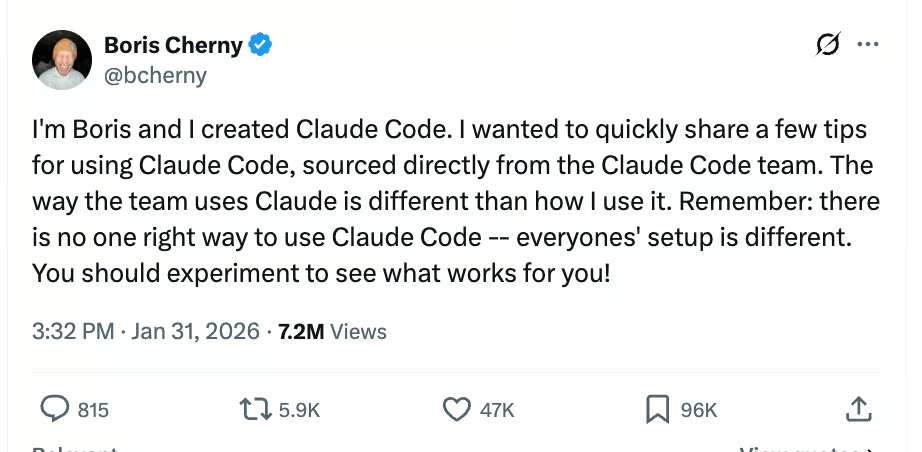
Here's what they actually do:
The Parallel Processing Hack
The #1 tip from the team? Run 3-5 git worktrees simultaneously, each with its own Claude session. Some engineers set up shell aliases (za, zb, zc) to jump between worktrees in one keystroke. Others maintain a dedicated "analysis" worktree just for reading logs and running BigQuery queries.
Think of it like having five expert developers working on different parts of your codebase at once.
Plan Mode Is Everything
For complex tasks, the team starts in plan mode every single time. They pour energy into the plan so Claude can nail the implementation in one shot. One engineer even has one Claude write the plan, then spins up a second Claude to review it as a staff engineer.
When something goes sideways? They don't keep pushing. They switch back to plan mode and re-plan from scratch.
Your CLAUDE.md File Is Your Secret Weapon
After every correction, team members tell Claude: "Update your CLAUDE.md so you don't make that mistake again." Claude writes rules for itself, and the mistake rate measurably drops over time.
One engineer goes further, having Claude maintain a notes directory for every project that gets updated after each PR.
Other Power Moves:
- Build custom skills for anything you do more than once daily. One engineer built a /techdebt command that finds and kills duplicated code at the end of every session.
- Enable the Slack MCP and paste bug threads directly into Claude with "fix." Zero context switching.
- Use voice dictation (fn x2 on macOS). You speak 3x faster than you type, and your prompts get way more detailed.
- Append "use subagents" to complex requests to throw more compute at the problem.
- Point Claude at the "bq" CLI for analytics queries. Some team members haven't written SQL in 6+ months.
For Learning:
Enable the "Explanatory" output style in /config to understand the why behind changes. Ask Claude to generate visual HTML presentations explaining unfamiliar code (it makes surprisingly good slides). Have it draw ASCII diagrams of new protocols.
Why This Matters:
Most people use Claude Code like a faster autocomplete. The team uses it like a development partner that can handle five tasks in parallel, write its own operating procedures, and automate entire categories of work. The gap between those two approaches is the difference between modest productivity gains and fundamentally changing how you ship code.
What You Can Try Today:
Start with one parallel worktree. Add "Update your CLAUDE.md" to your next correction. Build one custom skill for something you do repeatedly. The compounding effects stack fast.
The tools are the same for everyone. The difference is in how you use them.
