
• Full course
  • 6 lessons

Intro to Perplexity

In this course, you will complete a practical Perplexity workflow from beginning to end. You will write a focused research request, choose an appropriate search mode, inspect the evidence behind the answer, add your own files, and turn the findings into a report or presentation. You will also learn where Projects, Computer, and Comet fit into the wider Perplexity platform.

Start this course free

7 days free, then a monthly or yearly plan. Cancel anytime.

Taught by Grant Harvey
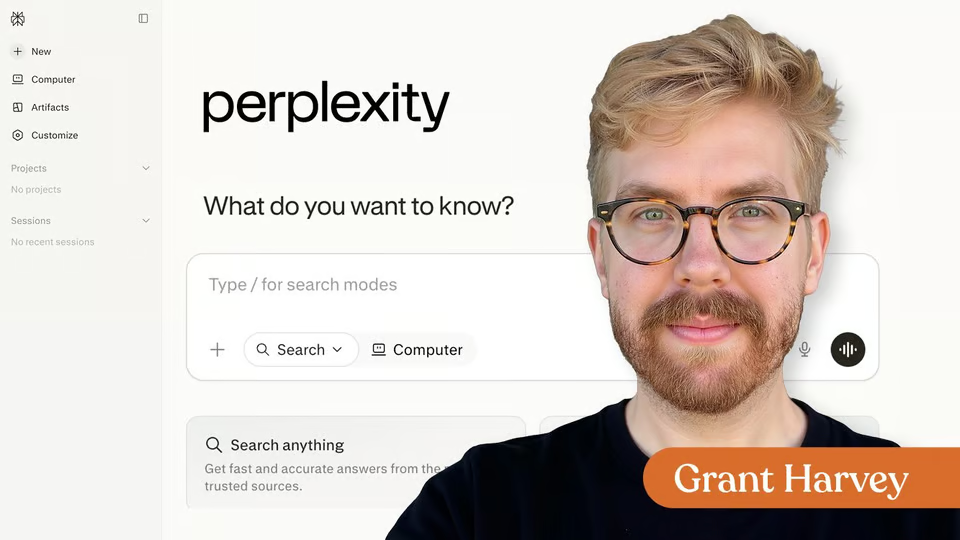
Intro to Perplexity, from The Neuron Academy

What you'll learn

  • Choose between regular Search, Pro Search, Research, creation tools, and Computer.
  • Write requests with clear context, criteria, source requirements, and output instructions.
  • Inspect citations and identify outdated, incomplete, or weakly supported claims.
  • Use files and Projects to add persistent context and organize ongoing research.

Curriculum

The shape of the course

One mark for every step, in the order you take them. 54 videos, 45 exercises, downloadable notes and a certificate of completion.

  1. Perplexity Basics

    • 10 videos
    • 8 exercises

    Learn the core Perplexity research workflow by asking a focused question, inspecting the cited sources, navigating the workspace, and challenging weak evidence.

    Show all 18 steps Hide the steps
    1. Perplexity Basics
    2. Perplexity Is Built Around Search
    3. Exercise : What best describes Perplexity’s primary role?
    4. Run a Cited Search
    5. Exercise : Put the basic Perplexity research loop in the correct order.
    6. Find Your Way Around Perplexity
    7. Exercise : Match each Perplexity control with its purpose.
    8. How to Check a Citation
    9. How to Check a Citation Part 2
    10. Exercise : Put the full beginner research cycle in the best order.
    11. Exercise : Which questions should you ask when checking an important citation? Choose all that apply.
    12. Exercise : What should you do when credible sources disagree?
    13. When Perplexity Fits
    14. Exercise : Which task is the strongest fit for Perplexity?
    15. Decide Where Perplexity Fits
    16. Exercise : Match each task with the best role for Perplexity.
    17. Complete a Research Cycle
    18. Wrap-Up
  2. Better Perplexity Prompts

    • 12 videos
    • 8 exercises

    Improve Perplexity results by building requests with a clear outcome, useful context, constraints, source standards, and a practical output format.

    Show all 20 steps Hide the steps
    1. Better Perplexity Prompts
    2. Start with the Outcome
    3. Exercise : Which request gives Perplexity the clearest outcome?
    4. Weak Prompt vs. Strong Prompt
    5. Exercise : Which elements make the stronger project-management prompt more useful? Choose all that apply.
    6. Practice: Turn a Topic into a Task
    7. Add Context and Constraints
    8. Exercise : Match each prompt element with its role.
    9. Practice: Add Context and Constraints
    10. Set a Source Standard
    11. Exercise : You need the current price and features of a software product. Which source instruction is strongest?
    12. Practice: Add an Evidence Rule
    13. Exercise : Which instruction is most useful for reducing unsupported claims?
    14. Define the Output and Use Follow-Ups
    15. Exercise : Match the situation with the best next step.
    16. Challenge the First Answer
    17. Exercise : Which follow-up is the strongest general challenge to a first research answer?
    18. Build and Test a Five-Part Prompt
    19. Exercise : Put the five-part Perplexity prompt structure in order.
    20. Wrap-Up
  3. Perplexity Search Modes

    • 8 videos
    • 8 exercises

    Choose the right Perplexity search mode for quick answers, deeper comparisons, multi-step decisions, and extended research reports.

    Show all 16 steps Hide the steps
    1. Perplexity Search Modes
    2. Exercise : Which task is the strongest fit for Best mode?
    3. Start with Best
    4. Exercise : Which task is the strongest fit for Best mode?
    5. Use Pro Search for Depth
    6. Exercise : Which task features are strong signals that Pro Search may be useful? Choose all that apply.
    7. Use Reasoning Search for Multi-Step Problems
    8. Exercise : Which task most clearly calls for Reasoning Search?
    9. Use Research for a Report
    10. Exercise : Put these steps for scoping a Research request in the best order.
    11. Compare the Same Task Across Modes
    12. Exercise : Match each task with the best starting mode.
    13. Choose the Right Mode
    14. Exercise : A manager needs a cited comparison of three payroll tools across pricing, integrations, support, and implementation effort. Which mode is the best starting point?
    15. Exercise : You are preparing to run a real Perplexity task. Which steps belong in a strong mode-selection process? Choose all that apply.
    16. Wrap-Up
  4. Perplexity Workspaces

    • 8 videos
    • 8 exercises

    Use files, Projects, Memory, and connectors to give Perplexity useful context while keeping sources, permissions, and access boundaries clear.

    Show all 16 steps Hide the steps
    1. Perplexity Workspaces
    2. Exercise : Practice choosing low-risk context for a first file workflow.
    3. Add Files and Ask Better Questions
    4. Exercise : Which prompt gives you the clearest file-only answer?
    5. Check What the File Actually Supports
    6. Exercise : Uploading a long file guarantees that every page was analyzed with equal attention.
    7. Organize Repeated Work in Projects
    8. Exercise : Which task is the strongest fit for a Project?
    9. Use Memory Without Letting It Drift
    10. Exercise : Which item is the best candidate for Perplexity Memory?
    11. Connect Other Tools Carefully
    12. Exercise : Match each connector behavior with its type.
    13. Build a Small Perplexity Workspace
    14. Exercise : Which items belong in the completed practice workspace? Choose all that apply.
    15. Exercise : Which workspace best follows the lesson's recommended setup?
    16. Wrap-Up
  5. Create with Perplexity

    • 7 videos
    • 7 exercises

    Turn one Perplexity research session into useful documents, spreadsheets, presentations, apps, images, and short videos that you can inspect, verify, revise, and export.

    Show all 14 steps Hide the steps
    1. Create with Perplexity
    2. Exercise : Put the Perplexity asset-creation workflow in the correct order.
    3. Turn Research into a Document
    4. Exercise : Which request gives Perplexity the strongest document brief?
    5. Build a Spreadsheet You Can Audit
    6. Exercise : Match each spreadsheet element with what it controls.
    7. Create a Presentation with One Job per Slide
    8. Exercise : Put the presentation story in the recommended order.
    9. Build an App or Publish a Website
    10. Test : Which app request is easiest to test?
    11. Generate Images and Short Videos
    12. Exercise : Which checks belong in a review of AI-generated image or video assets? Choose all that apply.
    13. Review, Revise, and Export
    14. Exercise : Match each asset with the review that matters most.
  6. Perplexity Beyond Search

    • 9 videos
    • 6 exercises

    Use Computer, Brain, Workflows, Scheduled Tasks, Skills, Comet, device assistants, specialized features, and Perplexity APIs without losing control of permissions, evidence, cost, or review.

    Show all 15 steps Hide the steps
    1. Perplexity Beyond Search
    2. Turn an Answer into a Computer Workflow
    3. Exercise : Which request is a Computer workflow rather than a normal answer request?
    4. Schedule Repeated Work Only After It Works
    5. Exercise : Which task is the safest first Computer run?
    6. Reuse Work with Skills, Workflows, Connectors, and MCP
    7. Exercise : Put these steps for creating a recurring Computer task in the best order.
    8. Use Comet as an AI-Assisted Browser
    9. Exercise : Match each item with its main purpose.
    10. Bring Perplexity onto Mobile and Mac
    11. Exercise : Which task is the best first use of an AI browser assistant?
    12. Choose Brain and Specialized Features by Workflow
    13. Know What the Perplexity APIs Are For
    14. Exercise : Your team is deciding whether to budget around a feature such as Brain, Model Council, or a particular plan limit. What should you do before making the decision?
    15. Design One Safe Perplexity Workflow
  7. Downloadable

    Download the Lesson Notes for reusable prompts, authoritative links, and key points from the lesson.

    1. Download : Lesson Notes
  8. Certificate of Completion

    Congratulations on completing "Intro to Perplexity"! Download your certificate to recognize your progress in using Perplexity for file analysis, deeper research, and turning insights into useful work.

    1. Certificate of completion

Your instructor

Grant is the voice of The Neuron, the daily newsletter delivering no-hype insights on how AI is changing the world around us, and co-hosts The Neuron’s weekly podcast.

Questions about this course

How long is this course?

It's a full course of 6 lessons. Inside: 54 videos, 45 exercises, downloadable notes and a certificate of completion.

Who teaches this course?

Grant Harvey. Grant is the voice of The Neuron, the daily newsletter delivering no-hype insights on how AI is changing the world around us, and co-hosts The Neuron’s weekly podcast.

Do I get a certificate?

Yes. Finish the course and you get a certificate of completion from The Neuron Academy.

Do I need to know how to code?

No. Like everything in the Academy, it needs no coding or technical background.

How do I get access?

This course is included in a The Neuron Academy membership. Start with a 7-day free trial, then choose a monthly or yearly plan. Cancel anytime. New lessons are added every week.

The Neuron Academy

Learn AI the way you read The Neuron: short, practical, no hype.

  • 73 courses and lessons, with new ones every week
  • Guided paths for 5 goals, from first prompt to first agent
  • A certificate for every course you finish
  • No coding or technical background required
Start your 7-day free trial

7 days free, then a monthly or yearly plan. Cancel anytime.

Intro to Perplexity

The Neuron Logo

Don't fall behind on AI. Get the AI trends & tools you need to know. Join 700,000+ professionals from top companies like Microsoft, Apple, Salesforce and more.

Property of TechnologyAdvice. © 2026 TechnologyAdvice. All Rights Reserved

Advertiser Disclosure: Some of the products that appear on this site are from companies from which TechnologyAdvice receives compensation. This compensation may impact how and where products appear on this site including, for example, the order in which they appear. TechnologyAdvice does not include all companies or all types of products available in the marketplace.

Stay in the loop

Get notified when we publish new articles.