• Full course
  • 4 lessons

Intro to Gemini Notebook

Turn workplace documents, notes, links, and other source material into grounded answers and useful work outputs. You’ll learn how to organize sources in Gemini Notebook, ask better questions, verify its responses, and create practical results you can refine and use.

Start this course free

7 days free, then a monthly or yearly plan. Cancel anytime.

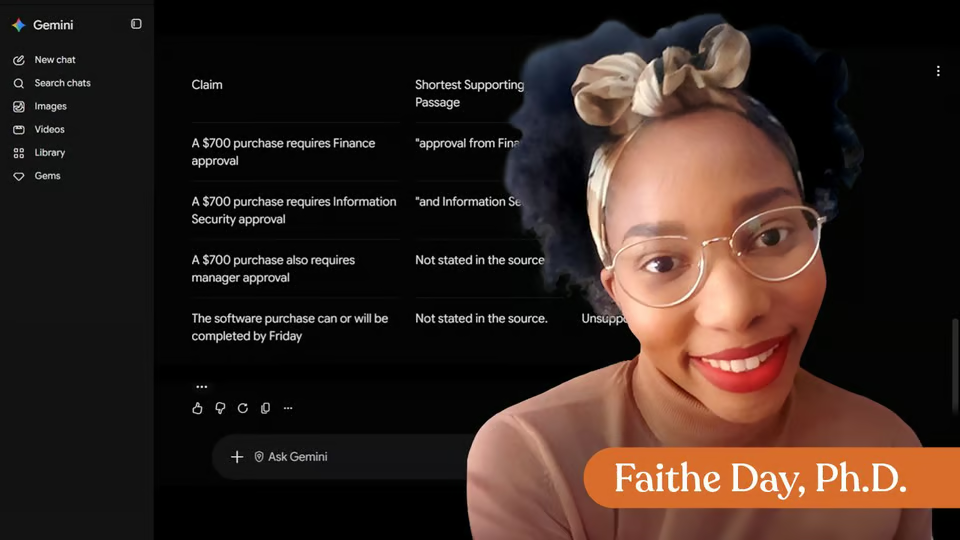
Taught by Faithe Day, Ph.D.

Intro to Gemini Notebook, from The Neuron Academy

What you'll learn

  • Getting Oriented in Gemini Notebook: Understand how notebooks, sources, chat, and generated content work together, and set up a notebook for a focused workplace task.
  • Gathering Better Sources: Choose relevant, reliable source material, add it to your notebook, and identify missing, outdated, or incomplete information.
  • Asking Better Work Questions: Write clear, source-grounded questions, use follow-up prompts, check citations, and recognize when the available sources do not contain an answer.
  • Turning Sources Into Work Outputs: Transform notebook findings into summaries, briefs, plans, FAQs, and other workplace materials while verifying important details before use.

Curriculum

The shape of the course

One mark for every step, in the order you take them. 37 videos, 11 exercises and a certificate of completion.

  1. Get Oriented in Gemini Notebook

    • 8 videos
    • 2 exercises

    You will learn what Gemini Notebook is for, how notebooks are organized, why source quality matters, and how to ask a useful first question.

    Show all 10 steps Hide the steps
    1. Get Oriented in Gemini Notebook
    2. What Gemini Notebook Is For
    3. What Lives Inside a Notebook
    4. Exercise : Quick Check
    5. Why Sources Control Answer Quality
    6. Create a Basic Notebook
    7. Check the Source Reference
    8. Exercise : Quick Check
    9. Build on Your Task Notebook
    10. Wrap Up
  2. Gather Better Sources for Your Work Notebook

    • 11 videos
    • 3 exercises

    Improve the Gemini Notebook from Lesson 1 by gathering better sources, adding work materials, and cleaning the source list before using it for real work.

    Show all 14 steps Hide the steps
    1. Gather Better Sources for Your Work Notebook
    2. Re-check the notebook’s job
    3. Source types Gemini Notebook accepts
    4. Source limits and practical boundaries
    5. Exercise : Quick Check
    6. Use Fast Research for a quick source pass
    7. Use Deep Research for broader or higher-stakes topics
    8. Add Google Drive and work files
    9. Use uploads, links, and copied text wisely
    10. Exercise : Quick Check
    11. Clean the source list
    12. Practice: improve your existing notebook
    13. Exercise : Final Exercise
    14. Wrap-up
  3. Ask Your Notebook Better Work Questions

    • 9 videos
    • 3 exercises

    Use Gemini Notebook chat to ask sharper work questions, find source-backed details faster, and turn notebook answers into short workplace outputs.

    Show all 12 steps Hide the steps
    1. Ask Your Notebook Better Work Questions
    2. Start With a Source Onboarding Prompt
    3. Frame the Work Before the Question
    4. Exercise : Quick Check
    5. Target the Source and Detail
    6. Batch and Layer Your Prompt
    7. Shape the Answer for Its Destination
    8. Exercise : Quick Check
    9. Reuse a Base Response
    10. Practice: Build a Chat Workflow
    11. Exercise : Final Exercise
    12. Wrap-Up: Better Questions Save Time
  4. Turn Your Notebook Into Work Outputs

    • 9 videos
    • 3 exercises

    Use Gemini NotebookLM Studio outputs to turn a completed notebook into formats for listening, watching, organizing, studying, presenting, and sharing. You practice choosing the right output for a real work need and naming the next step after generation.

    Show all 12 steps Hide the steps
    1. Turn Your Notebook Into Work Outputs
    2. Match the Output to the Work Need
    3. Use Audio and Video Overviews for Fast Orientation
    4. Use Mind Maps to See Structure
    5. Exercise : Quick Check
    6. Use Study Tools for Workplace Learning
    7. Create Shareable First Drafts
    8. Exercise : Quick Check
    9. Turn Outputs Into Next Steps
    10. Practice the Output Workflow
    11. Exercise : Final Exercise
    12. Course Wrap-Up
  5. Certificate of Completion

    Congratulations on completing "Intro to Gemini Notebook"! Download your certificate to recognize your progress in understanding how notebooks work, choosing quality sources, and asking useful first questions.

    1. Certificate of completion

Your instructor

Faithe helps non-technical professionals understand AI without the jargon. Her lessons focus on practical workflows, clear explanations and building confidence with modern tools at work.

Questions about this course

How long is this course?

It's a full course of 4 lessons. Inside: 37 videos, 11 exercises and a certificate of completion.

Who teaches this course?

Faithe Day, Ph.D. Faithe helps non-technical professionals understand AI without the jargon. Her lessons focus on practical workflows, clear explanations and building confidence with modern tools at work.

Do I get a certificate?

Yes. Finish the course and you get a certificate of completion from The Neuron Academy.

Do I need to know how to code?

No. Like everything in the Academy, it needs no coding or technical background.

How do I get access?

This course is included in a The Neuron Academy membership. Start with a 7-day free trial, then choose a monthly or yearly plan. Cancel anytime. New lessons are added every week.

The Neuron Academy

Learn AI the way you read The Neuron: short, practical, no hype.

  • 73 courses and lessons, with new ones every week
  • Guided paths for 5 goals, from first prompt to first agent
  • A certificate for every course you finish
  • No coding or technical background required
Start your 7-day free trial

7 days free, then a monthly or yearly plan. Cancel anytime.

Intro to Gemini Notebook

The Neuron Logo

Don't fall behind on AI. Get the AI trends & tools you need to know. Join 700,000+ professionals from top companies like Microsoft, Apple, Salesforce and more.

Property of TechnologyAdvice. © 2026 TechnologyAdvice. All Rights Reserved

Advertiser Disclosure: Some of the products that appear on this site are from companies from which TechnologyAdvice receives compensation. This compensation may impact how and where products appear on this site including, for example, the order in which they appear. TechnologyAdvice does not include all companies or all types of products available in the marketplace.

Stay in the loop

Get notified when we publish new articles.