


Most local AI apps are good at one thing: chat.
That's useful, and I use them for exactly that all the time. Download a model, try a few prompts, adjust settings, and get a quick feel for whether it is worth keeping around. It is still one of my favorite ways to experiment with local models.
The work gets monce I want to do more than chat.
Fine-tuning, tool use, synthetic data, agents, model formats, runtimes, GPU settings—those pieces tend to live in different places. The model may run perfectly well, but getting it to search the web, write a file, call a tool, or train on custom data can take real expertise.
Unsloth Desktop makes that next layer much easier to reach.
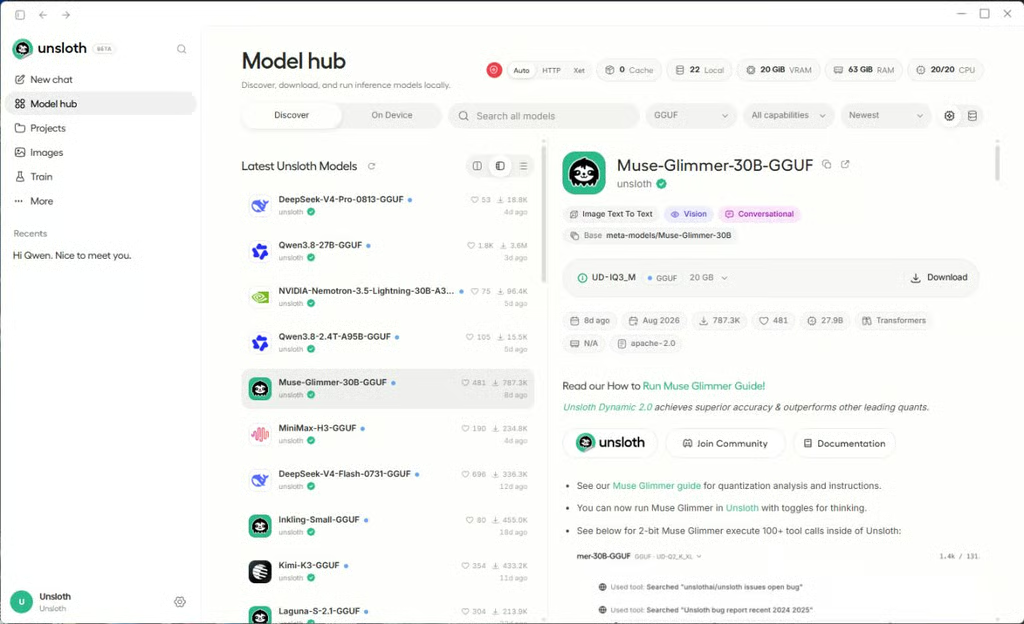
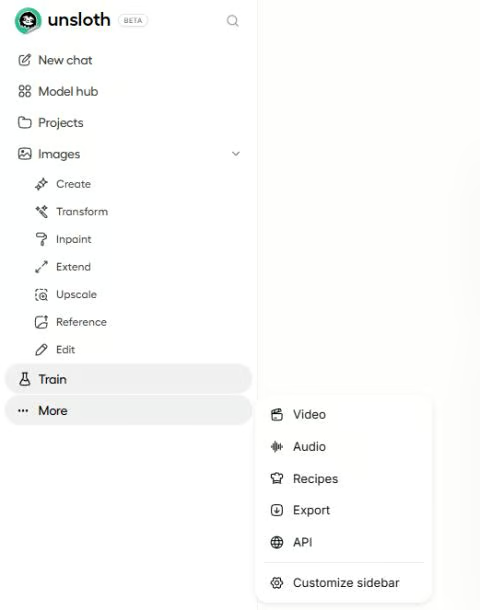
It overlaps with LM Studio in the obvious ways. You can download and run models, work with GGUF and safetensors files, upload media, and compare models side by side. But it also includes the parts of local AI that usually send me back to the terminal: tool calling, code execution, data generation, fine-tuning, training monitoring, and model export.
Unsloth Desktop is trying to put the whole workflow in one place. I think it mostly succeeds.




The agent tools make a difference
I really like the agent setup.
Web search, tool calling, Python, and Bash execution are built into the chat experience. You don't have to wire together a local-agent project just to see whether a model can use a tool correctly or verify something with code. Unsloth runs Python and Bash in a sandbox, which gives local models a way to test their work instead of simply writing an answer and hoping for the best.
That is particularly helpful with smaller open models. They can be surprisingly good at choosing the right tool or reasoning through a task, then fall apart when they need to produce valid JSON arguments. A malformed tool call can stop the whole process cold.
Unsloth’s “self-healing” tool calling, a feature you may now even know you need, is meant to deal with that. It detects malformed calls, repairs them, and retries automatically. The company says the feature can improve tool-call accuracy by as much as 50%, though the practical value is less about the percentage than the recovery. A model that gets one slightly malformed call repaired is more useful than one that forces you to inspect raw tool output and start over.
It does not make a weak model smart. It does remove one of the dumbest ways a capable model can fail.
The same general idea came up in our look at NVIDIA’s case for open agents: the model is only part of the product. Tool handling, memory, retries, permissions, and runtime behavior are where an agent either becomes useful or becomes a demo.
Data Recipes are worth a look
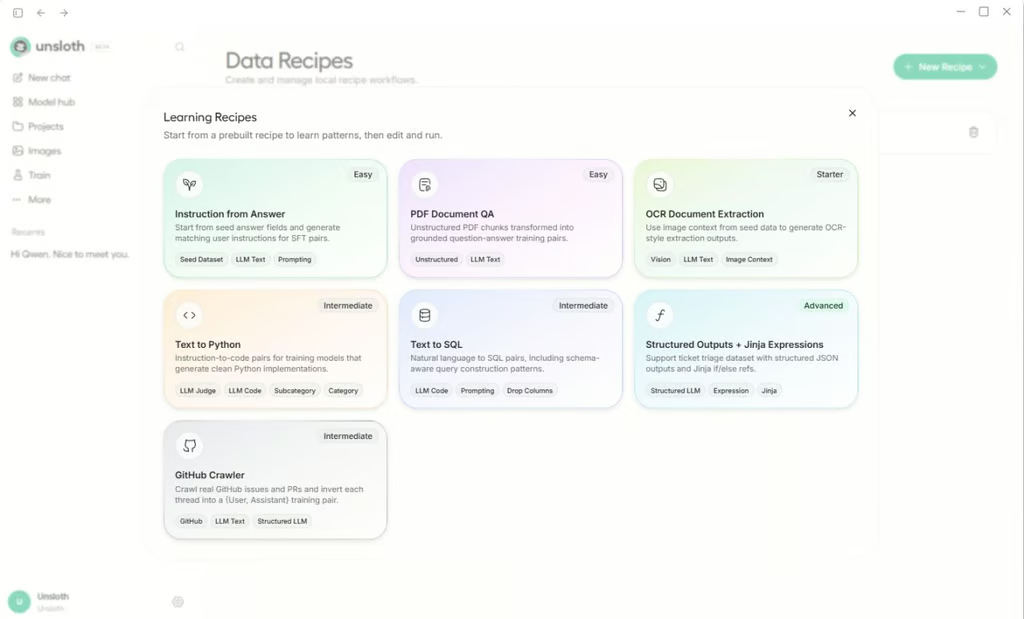
Another cool feature users might find useful is the program's Data Recipes workflow.
It's a node-based visual builder for synthetic-data workflows. You can chain prompts, transformations, sampling, judging, and validation steps; preview the results; then run the process at scale when you are happy with it. It can also turn uploaded documents and files into datasets.
That approach will be familiar to anyone who has built a synthetic-data pipeline by hand, where a quick experiment can become three scripts, six prompts, and a directory full of files named final_v2_ACTUAL_FINAL.json.
A visual workflow will not solve the hard parts of data quality. You still have to decide what examples belong in the dataset, how to judge outputs, and whether the generated data is helping the model learn the behavior you want. But it makes the process easier to inspect and revise. That alone is a win.
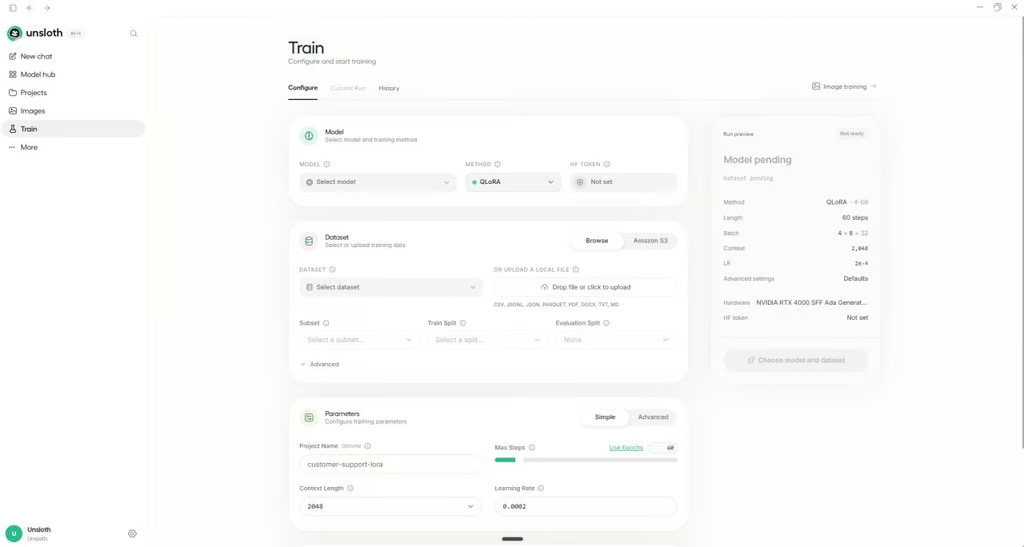
Fine-tuning has often been accessible only to people willing to live in notebooks, config files, and command-line flags. Unsloth Desktop doesn't remove the need to understand what you are training, but it lowers the setup cost considerably.
Where it fits
Unsloth Desktop is the tool to use if you're trying out, working with, or want to up your game with local models.
It's useful for building a local agent workflow, creating custom training data, fine-tuning a model for a specific job, or running a comparison without hopping between several tools. It can also export models as GGUF and safetensors, so the work doesn't stay locked inside the app.
That freedom is part of the appeal of local models in the first place. You can run them privately, work offline, choose the hardware, adapt the model, and keep control of the stack. As we wrote in our case for open models, the ability to fine-tune, quantize, and run intentionally released models is a big part of what makes the ecosystem useful.
Unsloth Desktop makes that process feel easy and approachable.
