


ChatGPT can now turn a text prompt or photo into an animated GIF. OpenAI announced the feature on November 4, so you can describe what should move or upload a still image you’d like to animate.
The feature also lets you adjust the result. According to The Verge, users can change playback speed and edit individual frames. A loop that moves too quickly may just need a slower pace.
For anyone who wants a custom reaction GIF or an animated mascot, this puts more of the process inside the chat. You describe the action, then decide whether the result is ready to share.
You can ask for a GIF straight away
You don’t have to generate a still image first. OpenAI’s demonstration starts with a request for a dancing-cat GIF, and ChatGPT produces the animation.
Alternatively, you can upload a photo and explain how you want it to move. OpenAI’s help page recommends asking for a looping GIF and describing the movement.
The feature is still rolling out, so the controls may not appear in every account yet.
OpenAI also says its image update improves consistency across edits. For animation, that means a character should remain recognizable as its pose changes. If a waving mascot’s face changes along with its paw, viewers are likely to notice.
I wanted to see what a simple request could produce, so I tried making a GIF in ChatGPT Work.
My test involved a cat with a strawberry hat
I began with: “Can you generate an image of a white cat dancing while wearing a strawberry on its head?”
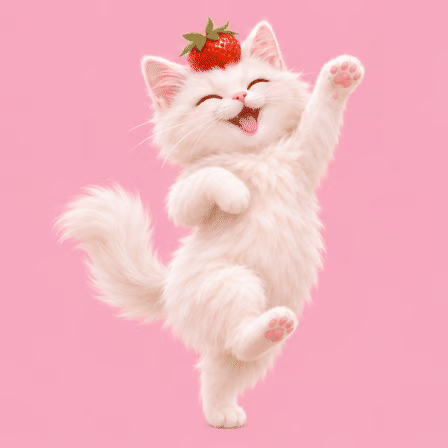
Despite my wording, ChatGPT put the strawberry safely on top of the cat’s head. The image showed a fluffy white cat against a pink background, with one paw raised and the berry between its ears.
Then I asked, “Can you turn it into a GIF?”, and the interface showed 2 minutes and 21 seconds of work for that response.
ChatGPT created a sprite sheet, which is one image containing a sequence of animation frames. It generated eight dance poses, then used code to assemble them into a downloadable GIF. I didn’t have to cut out the frames or put them in order myself.
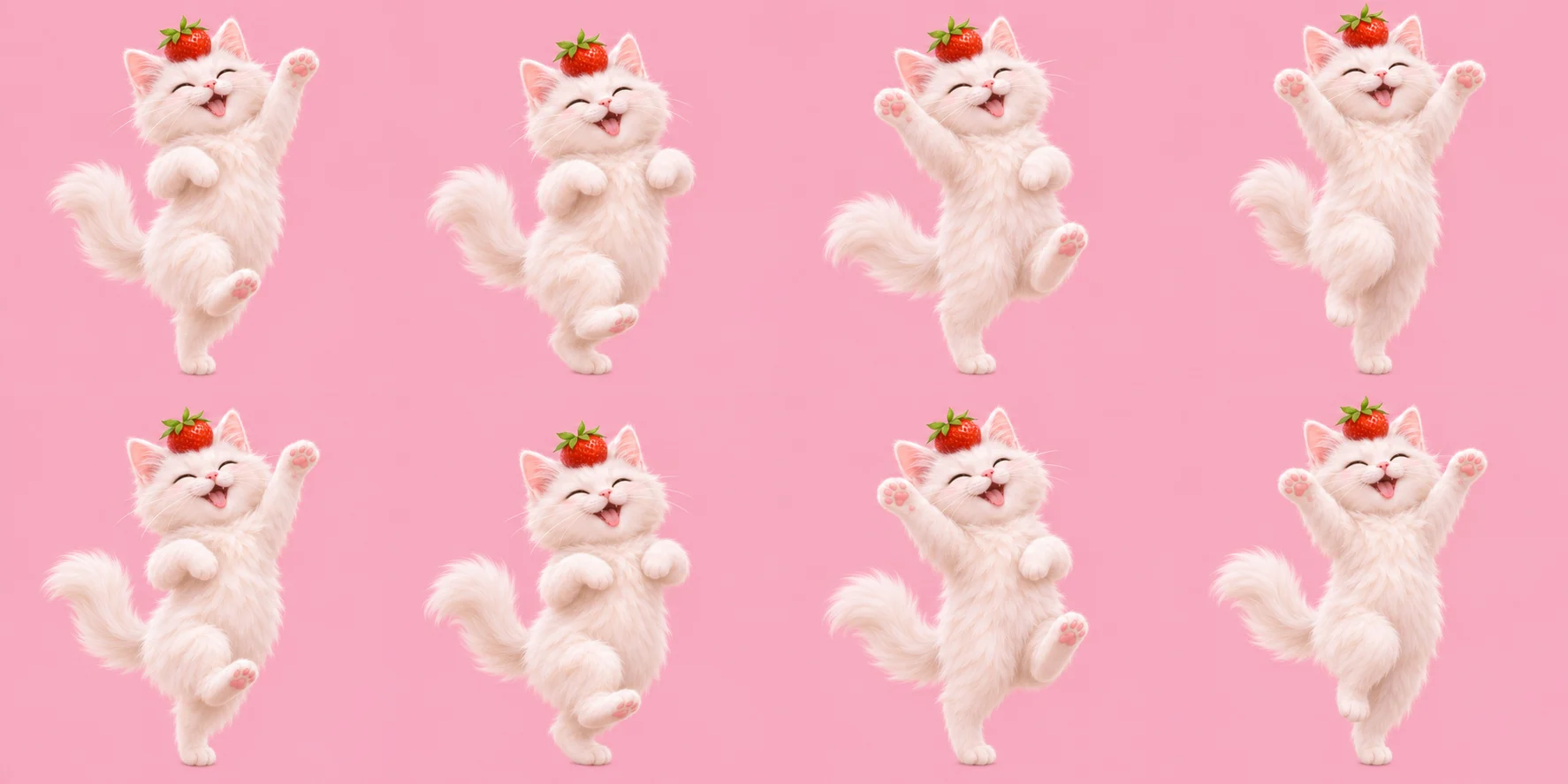
The result was a 448 × 448-pixel GIF with a 1.44-second loop. The cat stayed recognizable, and the strawberry remained on its head. However, the berry’s shape and leaves varied slightly between frames, while the jumps between poses gave the dance a flipbook feel.
The elapsed time covered the whole response, including the GIF assembly. It’s one observation from my session, so it shouldn’t be treated as the time every GIF will take.
My chat assembled the animation from generated frames, and I didn’t test the newly announced playback controls myself. I also used an illustration, so this experiment doesn’t tell us how an uploaded photograph would perform.
How to adjust a GIF after it’s created
Once ChatGPT creates a GIF through the new feature, you can open it to adjust playback speed. You can also describe changes in the conversation, then save the result or share it.
If the movement feels rushed, try slowing it down. If a detail changes between frames, describe the correction you want. You’ll still need to check whether the revised version follows your instructions.
There’s one restriction to remember: OpenAI says ChatGPT can revise GIFs it created, but it currently cannot edit an animated GIF you upload. To animate your own picture, start with a still image.
What I’d change in my next prompt
I’d give the cat one movement to repeat, with clearer instructions about what should stay the same:
Turn this cat image into a looping GIF. Have it gently wave one front paw. Keep the camera fixed and the strawberry on its head. Preserve the cat’s appearance and pink background. Return to the starting pose at the end.
After generation, watch the loop a few times and inspect individual frames. Look for changes in the face or accessories, then check whether the ending connects smoothly to the beginning.
If you’re working with a mascot, specify its colors and proportions before you generate. The same advice applies to AI marketing images: decide which details must survive every revision.
My cat experiment showed that ChatGPT could handle the frame assembly after a short request. Before using the result for a brand, I’d spend more time checking the animation. The strawberry stayed put, but its changing leaves would deserve another look if it were part of a logo.
