
• Lesson
  • 25 min

Build an AI Agent to Manage Your Calendar

Managing a busy calendar involves more than finding open time. Meetings have different priorities, schedules contain sensitive information, and an automated change can affect everyone invited.

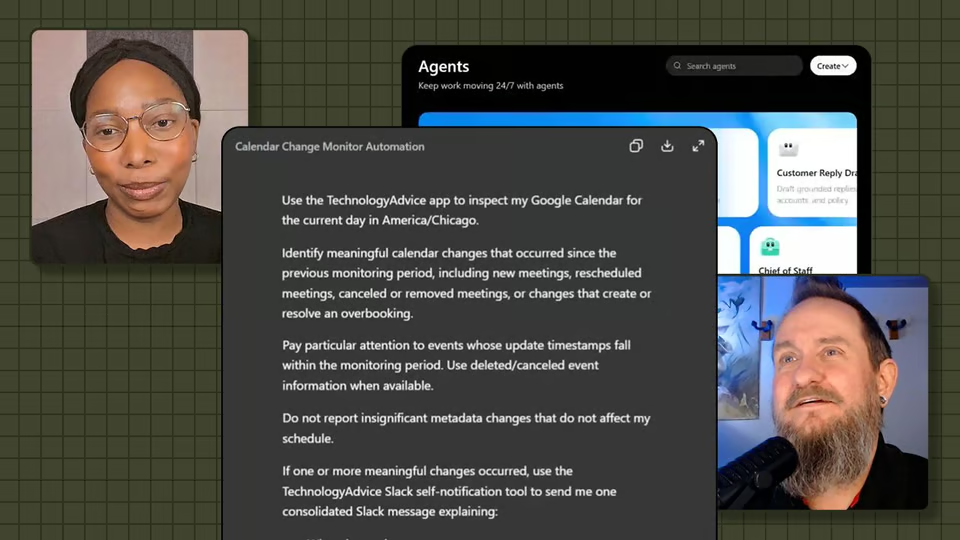
In this installment of How I Made It, Corey Noles shows Faithe Day the AI agent he created to help manage his calendar. He explains the problem behind the project, walks through the agent’s setup and workflow, and shares what he changed after testing it.

Start this lesson free

7 days free, then a monthly or yearly plan. Cancel anytime.

Taught by Corey Noles

Build an AI Agent to Manage Your Calendar, from The Neuron Academy

What you'll learn

  • Identify a focused calendar problem that an AI agent could address.
  • Define scheduling rules and boundaries for a calendar workflow.
  • Evaluate an agent’s recommendations or actions before accepting them.
  • Refine an agent when it lacks context or makes an incorrect assumption.
  • Recognize calendar tasks that should remain under human control.

Curriculum

The shape of the lesson

One mark for every step, in the order you take them. 1 video and a certificate of completion.

  1. How I Made an AI Agent to Manage My Calendar

    Corey Noles shares how he created an AI agent to assist with calendar management. See how he defined the task, configured the workflow, tested its output, and determined which scheduling decisions still require human judgment.

    1. How I Made an AI Agent to Manage My Calendar
  2. Certificate of Completion

    Congratulations! You just saw how a real calendar-management agent comes together. Your new superpower is knowing how to define a focused scheduling problem, set clear boundaries, test the agent’s recommendations, and keep important calendar decisions under human control.

    1. Certificate of completion

Your instructor

Corey co-hosts The Neuron’s weekly podcast and is Managing Editor of AI at TechnologyAdvice. He teaches practical AI workflows for real-world work.

Questions about this lesson

How long is this lesson?

It runs 25 min. Inside: 1 video and a certificate of completion.

Who teaches this lesson?

Corey Noles. Corey co-hosts The Neuron’s weekly podcast and is Managing Editor of AI at TechnologyAdvice. He teaches practical AI workflows for real-world work.

Do I get a certificate?

Yes. Finish the lesson and you get a certificate of completion from The Neuron Academy.

Do I need to know how to code?

No. Like everything in the Academy, it needs no coding or technical background.

How do I get access?

This lesson is included in a The Neuron Academy membership. Start with a 7-day free trial, then choose a monthly or yearly plan. Cancel anytime. New lessons are added every week.

The Neuron Academy

Learn AI the way you read The Neuron: short, practical, no hype.

  • 73 courses and lessons, with new ones every week
  • Guided paths for 5 goals, from first prompt to first agent
  • A certificate for every course you finish
  • No coding or technical background required
Start your 7-day free trial

7 days free, then a monthly or yearly plan. Cancel anytime.

Build an AI Agent to Manage Your Calendar

The Neuron Logo

Don't fall behind on AI. Get the AI trends & tools you need to know. Join 700,000+ professionals from top companies like Microsoft, Apple, Salesforce and more.

Property of TechnologyAdvice. © 2026 TechnologyAdvice. All Rights Reserved

Advertiser Disclosure: Some of the products that appear on this site are from companies from which TechnologyAdvice receives compensation. This compensation may impact how and where products appear on this site including, for example, the order in which they appear. TechnologyAdvice does not include all companies or all types of products available in the marketplace.

Stay in the loop

Get notified when we publish new articles.