• Full course
  • 8 lessons

Better Prompts for Better AI Results

Guide AI with more clarity and less trial and error. You’ll learn how to structure prompts, add the right context, set useful constraints, use personas, refine results through conversation, and build a prompt library you can return to for real work.

Start this course free

7 days free, then a monthly or yearly plan. Cancel anytime.

Taught by Faithe Day, Ph.D.
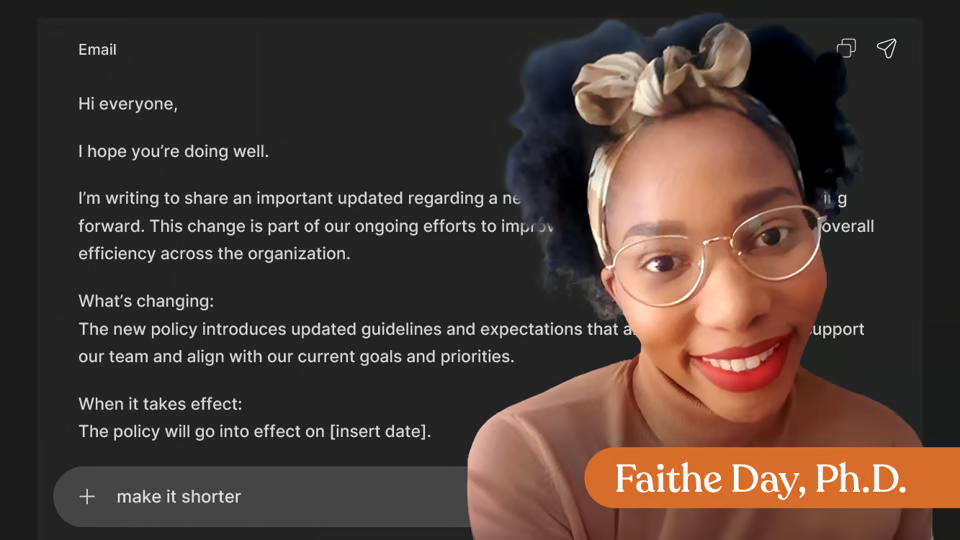
Better Prompts for Better AI Results, from The Neuron Academy

What you'll learn

  • Why Prompts Matter: Write clearer prompts that reduce guesswork.
  • The TCECF Framework: Build prompts with structure.
  • Context is Everything: Add details that shape a better output.
  • Constraints that Sharpen Output: Create conditions for clearer prompts.
  • Persona Prompts: Assign useful roles.
  • Multi-Turn Conversations: Refine step by step.
  • Prompting for Specific Tasks: Prompt for writing, analysis, coding, and ideas.
  • Building Your Prompt Library: Save and reuse what works.

Curriculum

The shape of the course

One mark for every step, in the order you take them. 155 videos, 9 knowledge checks, 6 exercises and a certificate of completion.

  1. Why Prompts Matter

    • 26 videos
    • 2 knowledge checks
    • 1 exercise

    Learn why prompts matter and how to give AI clearer direction. In this lesson, you’ll compare weak and strong prompts to see how specificity changes output quality, explore how AI uses tokens and wording patterns instead of reading human intent, and practice reducing correction loops by writing prompts in “director mode.” By the end, you’ll know how to build prompts that remove guesswork before the first response.

    Show all 29 steps Hide the steps
    1. Introduction
    2. Good Prompts vs Bad Prompts
    3. The Bad Prompt
    4. The Good Prompt
    5. What Makes a "Good" Prompt?
    6. Try It Yourself
    7. Quick Check
    8. Knowledge check
    9. How AI Interprets Your Words
    10. Words Become Tokens
    11. Pattern Relationships
    12. Why Word Choice Changes Outputs
    13. Key Takeaway
    14. Try It Yourself
    15. Knowledge check
    16. The Cost of Vague Prompting
    17. What a Correction Loop Looks Like
    18. Why This Happens
    19. Quantifying the Cost
    20. Key Takeaway
    21. Try It Yourself
    22. The Mindset Shift: You’re a Director, Not a Writer
    23. What Directors Do vs. Writers
    24. Why This Changes Everything
    25. Concrete Examples
    26. Key Takeaway
    27. Show what you've learned.
    28. Exercise : Final Exercise
    29. Wrap Up
  2. The TCECF Framework

    • 23 videos
    • 1 exercise

    Build structured prompts with less guesswork by learning the TCECF framework: Task, Context, Examples, Constraints, and Format. You’ll practice turning vague requests into clearer, more useful prompts and apply the full framework to real-world tasks that guide AI step by step toward stronger outputs.

    Show all 24 steps Hide the steps
    1. The TCECF Framework
    2. TASK - The Engine of the Prompt
    3. Content & Demo
    4. Clarification
    5. Try It Yourself
    6. Context — Your Prompt’s Steering System
    7. What Context Means
    8. Demonstration
    9. Clarify What Context Is NOT
    10. Practice - Try it Yourself
    11. Pattern Anchors
    12. What Examples Mean
    13. Demonstration
    14. Conceptual Takeaway
    15. Try It Yourself
    16. Constraints & Format
    17. Define Constraints
    18. Define Format
    19. Demonstration
    20. Key Takeaway
    21. Try It Yourself
    22. Show What You've Learned
    23. Exercise : Final Exercise
    24. Lesson Wrap-Up
  3. Context Is Everything

    • 19 videos
    • 1 knowledge check
    • 1 exercise

    Make AI output more relevant by providing clearer direction through context. You’ll explore background, audience, and purpose as key types of context, learn how to decide which details belong in a prompt, and compare context-poor and context-rich prompts in ChatGPT. By the end, you’ll know how to reduce guesswork and improve alignment through better contextual prompting.

    Show all 21 steps Hide the steps
    1. Context Is Everything
    2. Types of Context
    3. Definitions
    4. Demonstration
    5. Try It Yourself
    6. How Much Context Is Enough?
    7. Decision Rule
    8. Demonstration
    9. Try It Yourself
    10. Context About You
    11. Define Each Type
    12. Demonstration
    13. Try It Yourself
    14. Context Rich vs. Context Poor
    15. Concept Clarification
    16. Demonstration
    17. Try It Yourself
    18. Knowledge check
    19. Show What You've Learned
    20. Exercise : Final Exercise
    21. Lesson Wrap-Up
  4. Constraints That Sharpen Output

    • 19 videos
    • 1 knowledge check

    Learn how properly applied constraints can make AI responses easier to use and more effective. This lesson explores how constraints on length, format, tone, audience, and content shape output, helping you understand when they improve clarity and when they limit useful exploration. You’ll also practice adding “Include” and “Exclude” instructions to guide AI responses more precisely.

    Show all 20 steps Hide the steps
    1. Constraints That Sharpen Output
    2. Length & Format Constraints
    3. Length vs. Format
    4. Demonstration
    5. Try It Yourself
    6. Tone, Style, & Audience Constraints
    7. Tone vs. Audience
    8. Demonstration
    9. Try It Yourself
    10. Content Constraints
    11. Include vs. Exclude
    12. Demonstration
    13. Try It Yourself
    14. Knowledge check
    15. When Constraints Help vs. Hurt
    16. Constraints Help/Hurt
    17. Demonstration
    18. Try It Yourself
    19. Show What You've Learned
    20. Lesson Wrap-Up
  5. Persona Prompts

    • 19 videos
    • 5 knowledge checks

    Guide AI by assigning it a useful role and perspective. In this lesson, you’ll learn how persona prompts change the model’s priorities and approach, practice choosing personas that align with specific goals, and build clearer persona instructions using role, expertise, and perspective. You’ll then apply personas within the TCECF framework to create more focused prompts that produce stronger outputs.

    Show all 24 steps Hide the steps
    1. Persona Prompts
    2. What are Persona Prompts?
    3. Concept Explanation
    4. Demonstration
    5. Try It Yourself
    6. Knowledge check
    7. Choosing the Right Persona
    8. Concept Explanation
    9. Demonstration
    10. Try It Yourself
    11. Knowledge check
    12. Writing Effective Persona Instructions
    13. The 3 Elements of Persona Prompts
    14. Demonstration
    15. Try It Yourself
    16. Knowledge check
    17. Introduction to Combining Personas
    18. Combining Personas With TCECF
    19. Demonstration
    20. Try It Yourself
    21. Knowledge check
    22. Show What You've Learned
    23. Knowledge check
    24. Lesson Wrap-Up
  6. Multi-Turn Conversations

    • 15 videos
    • 1 exercise

    Learn how to use conversation as an ongoing process to guide better AI results over time. You’ll work with AI through follow-up prompts instead of one-off requests, practice refining earlier responses, and learn how to steer the model when tone, audience, format, or focus drifts. You’ll also explore how to break larger tasks into smaller steps and recognize when it’s better to start fresh.

    Show all 16 steps Hide the steps
    1. Multi-Turn Conversations
    2. Building On Previous Responses
    3. Demonstration
    4. Try It Yourself
    5. Steering AI
    6. Demonstration
    7. Try It Yourself
    8. Step-Based Prompting
    9. Demonstration
    10. Try It Yourself
    11. Starting Fresh
    12. Demonstration
    13. Try It Yourself
    14. Show What You've Learned
    15. Exercise : Final Exercise
    16. Lesson Wrap-Up
  7. Prompting for Specific Tasks

    • 15 videos
    • 1 exercise

    Build prompts tailored to the actual work you need AI to perform. This lesson teaches you how to structure prompts for writing, analysis, coding, and brainstorming while practicing ways to request clear formats, useful insights, scripts, and idea lists. You’ll also create reusable, task-specific prompts that can become part of your growing prompt library.

    Show all 16 steps Hide the steps
    1. Prompting for Specific Tasks
    2. Writing Prompts (Emails, Reports, Creative)
    3. Demonstration
    4. Try it Yourself
    5. Analysis Prompts for Summaries and Insights
    6. Demonstration
    7. Try it Yourself
    8. Coding Prompts (Even If You Don't Code)
    9. Demonstration
    10. Try it Yourself
    11. Creative & Brainstorming Prompts
    12. Demonstration
    13. Try it Yourself
    14. Show What You've Learned
    15. Exercise : Final Exercise
    16. Lesson Wrap-Up
  8. Building Your Prompt Library

    • 19 videos
    • 1 exercise

    Turn useful prompts into a reusable system that supports real workflows. In this lesson, you’ll organize prompts into categories based on recurring tasks, build reusable templates with placeholders, and test prompts for clarity, relevance, consistency, and usability. By the end, you’ll have a structured prompt library that makes prompting faster, more reliable, and easier to integrate into everyday work.

    Show all 20 steps Hide the steps
    1. From Prompts to a System
    2. Organizing Prompts
    3. What Are Prompt Categories
    4. Demonstration
    5. Try it Yourself
    6. Templates - Making Prompts Reusable
    7. What Is a Template
    8. Demonstration
    9. Try it Yourself
    10. Testing and Refining Your Best Prompts
    11. Testing a Prompt
    12. Demonstration
    13. Try it Yourself
    14. Sharing & Collaborating on Prompts
    15. Projects in ChatGPT
    16. Demonstration
    17. Try it Yourself
    18. Build Your Library
    19. Wrap-Up
    20. Exercise : Final Exercise
  9. Certification of Completion

    Congratulations! You now know how to write clearer prompts, provide better context, use constraints, and guide AI toward better results. Keep practicing—great prompting is a skill that compounds over time.

    1. Certificate of completion

Your instructor

Faithe helps non-technical professionals understand AI without the jargon. Her lessons focus on practical workflows, clear explanations and building confidence with modern tools at work.

Questions about this course

How long is this course?

It's a full course of 8 lessons. Inside: 155 videos, 9 knowledge checks, 6 exercises and a certificate of completion.

Who teaches this course?

Faithe Day, Ph.D. Faithe helps non-technical professionals understand AI without the jargon. Her lessons focus on practical workflows, clear explanations and building confidence with modern tools at work.

Do I get a certificate?

Yes. Finish the course and you get a certificate of completion from The Neuron Academy.

Do I need to know how to code?

No, though you'll work hands-on with coding tools. The course walks you through them step by step, and like everything in the Academy it assumes no coding background.

How do I get access?

This course is included in a The Neuron Academy membership. Start with a 7-day free trial, then choose a monthly or yearly plan. Cancel anytime. New lessons are added every week.

The Neuron Academy

Learn AI the way you read The Neuron: short, practical, no hype.

  • 73 courses and lessons, with new ones every week
  • Guided paths for 5 goals, from first prompt to first agent
  • A certificate for every course you finish
  • No coding or technical background required
Start your 7-day free trial

7 days free, then a monthly or yearly plan. Cancel anytime.

Better Prompts for Better AI Results

The Neuron Logo

Don't fall behind on AI. Get the AI trends & tools you need to know. Join 700,000+ professionals from top companies like Microsoft, Apple, Salesforce and more.

Property of TechnologyAdvice. © 2026 TechnologyAdvice. All Rights Reserved

Advertiser Disclosure: Some of the products that appear on this site are from companies from which TechnologyAdvice receives compensation. This compensation may impact how and where products appear on this site including, for example, the order in which they appear. TechnologyAdvice does not include all companies or all types of products available in the marketplace.

Stay in the loop

Get notified when we publish new articles.