• Full course
  • 6 lessons
  • Advanced

Advanced Prompt Engineering

Use advanced prompting techniques to manage complex workplace tasks without losing control of the process or the final decision. You’ll learn how to break down projects, compare possible approaches, connect prompts into structured workflows, coordinate AI with tools and source material, and review results before they are shared or used.

Start this course free

7 days free, then a monthly or yearly plan. Cancel anytime.

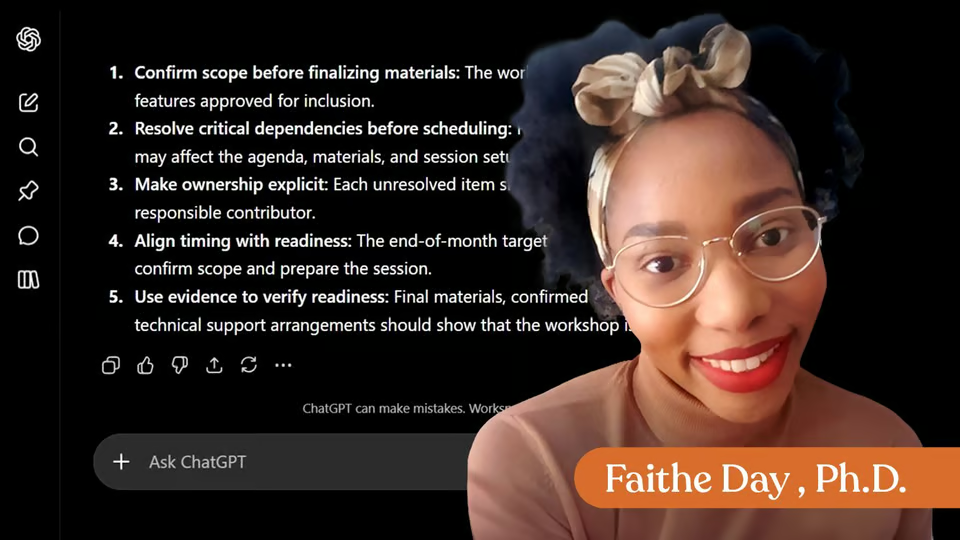
Taught by Faithe Day, Ph.D.

Advanced Prompt Engineering, from The Neuron Academy

What you'll learn

  • Plan Complex Workplace Tasks: Break large assignments into clear stages, identify required inputs and decisions, and use step-back prompting to establish the broader context before beginning detailed work.
  • Compare Approaches and Make Better Decisions: Ask AI to develop multiple possible solutions, compare them using business criteria such as effort, cost, risk, and impact, and present a clear decision brief for human review.
  • Build Multi-Step Prompt Workflows: Connect focused prompts so that the output from one stage becomes the input for the next, while preserving the source material, requirements, terminology, and approved decisions.
  • Use AI to Create and Improve Prompts: Apply meta-prompting to build reusable prompts for reports, communications, research, project planning, and other recurring workplace assignments.
  • Coordinate AI with Tools and Information Sources: Use a reason, act, observe, and adjust process to combine AI with documents, web research, calculations, connected tools, and human approval points.
  • Review, Verify, and Deliver Final Work: Evaluate multiple responses, identify unsupported claims or missed requirements, verify important information, and package the final result with assumptions, open questions, sources, and next steps.

Curriculum

The shape of the course

One mark for every step, in the order you take them. 61 videos, 20 exercises and a certificate of completion.

  1. Plan a Complex Workplace Task

    • 8 videos
    • 4 exercises

    Learn how to turn a complex workplace assignment into a structured plan with clear inputs, dependencies, decisions, deliverables, and human approval points. You will practice step-back prompting and create a concise workflow that keeps important judgment with people.

    Show all 12 steps Hide the steps
    1. Plan a Complex Workplace Task
    2. When One Prompt Is Not Enough
    3. Exercise : Which signs suggest that a workplace task may be too complex for one direct prompt? Choose all that apply.
    4. Break the Project Into Workable Parts
    5. Exercise : Match each project-planning part with its purpose.
    6. Use Step-Back Prompting
    7. Create a Concise Work Plan
    8. Add Human Approval Points
    9. Exercise : Which instruction creates the clearest human approval point?
    10. Build Your Planning Prompt
    11. Exercise : Which signs suggest that a workplace task may be too complex for one direct prompt? Choose all that apply.
    12. Plan First, Then Act
  2. Compare Possible Approaches

    • 8 videos
    • 3 exercises

    Compare multiple workplace approaches using consistent business criteria, then narrow the options and create a concise decision brief for human review.

    Show all 11 steps Hide the steps
    1. Compare Possible Approaches
    2. Define the Decision Before Comparing Options
    3. Exercise : What should you ask the AI to do before it recommends an approach to a workplace decision?
    4. Generate Multiple Realistic Approaches
    5. Compare Options Using Business Criteria
    6. Exercise : Which instructions make an AI comparison of workplace approaches more reliable? Choose all that apply.
    7. Narrow the Field Without Losing Human Control
    8. Create a Decision Brief for Human Review
    9. Compare a Workplace Decision
    10. Exercise : Paste the final decision brief you created for your workplace decision.
    11. Compare Options Before You Decide
  3. Build a Multi-Step Prompt Chain

    • 11 videos
    • 3 exercises

    Build a multi-step prompt chain that moves a complex workplace assignment from source review to a final, handoff-ready deliverable. Learn how to forward approved information, preserve requirements, and recover when a step produces incomplete work.

    Show all 14 steps Hide the steps
    1. Build a Multi-Step Prompt Chain
    2. Why Use a Prompt Chain?
    3. Design the Chain Before You Run It
    4. Exercise : Match each prompt-chain element with the question it answers.
    5. Step 1: Review the Source
    6. Step 2: Build the Outline
    7. Step 3: Draft From Approved Inputs
    8. Exercise : Which inputs should be passed into the drafting step of the prompt chain?
    9. Step 4: Review Against Requirements
    10. Add Recovery Instructions
    11. Step 5: Revise and Prepare the Handoff
    12. Build Your Own Multi-Step Prompt Chain
    13. Exercise : Choose a complex, nonconfidential workplace assignment and create a five-step prompt chain for it.
    14. Build the Chain, Then Control the Handoffs
  4. Use AI to Build and Improve Prompts

    • 12 videos
    • 4 exercises

    You do not have to write every workplace prompt from scratch. In this lesson, you will use meta-prompting to turn a recurring assignment into a clear prompt, review different prompt designs, test the strongest version with one small example, and convert it into a flexible template another employee can use.

    Show all 16 steps Hide the steps
    1. Use AI to Build and Improve Prompts
    2. Use AI as a Prompt-Building Partner
    3. Exercise : Which request is an example of meta-prompting?
    4. Build the Prompt From Useful Parts
    5. Build a Prompt for a Team Update
    6. Review the Generated Prompt
    7. Exercise : Which question is most useful when reviewing whether a reusable workplace prompt is clear?
    8. Ask for More Than One Prompt Design
    9. Test the Prompt With One Small Example
    10. Test : Why should you test a reusable prompt with one small, easy-to-review example?
    11. Turn the Prompt Into a Template
    12. Keep the Template Flexible
    13. Apply the Method to Other Workplace Tasks
    14. Practice: Create a Reusable Workplace Prompt
    15. Exercise : Choose one recurring, nonconfidential workplace assignment and create a reusable prompt for it.
    16. Build Better Prompts With AI
  5. Coordinate AI Reasoning and Workplace Tools

    • 11 videos
    • 3 exercises

    Coordinate AI with web research, calculations, and connected workplace tools. Learn how to use tool results as evidence, respond to missing information, and preserve human approval before important actions.

    Show all 14 steps Hide the steps
    1. Coordinate AI Reasoning and Workplace Tools
    2. Plan, Act, Observe, Adjust
    3. Exercise : Match each workflow stage with the question it answers.
    4. Demo: Update a Lunch-and-Learn Plan
    5. Step 1: Build the Tool Plan
    6. Step 2: Use Tool Results as Evidence
    7. Exercise : The AI searches official documentation but cannot clearly verify whether Google Meet Business Standard includes a required feature. What should it do?
    8. Step 3: Check the Calculation
    9. Step 4: Respond to Tool Limitations
    10. Step 5: Update the Work Product
    11. Keep Important Actions Under Human Control
    12. Build a Tool-Aware Workflow
    13. Exercise : Choose one nonconfidential workplace task you complete regularly.
    14. Coordinate the Work, Not Just the Prompt
  6. Stress-Test an AI Workflow

    • 11 videos
    • 3 exercises

    Stress-test a workplace prompt with realistic edge cases before relying on it. Learn how to define expected behavior, diagnose failures, make focused revisions, and confirm that new instructions do not break what already works.

    Show all 14 steps Hide the steps
    1. Stress-Test an AI Workflow
    2. Move Beyond the Happy Path
    3. Exercise : What is the main purpose of stress-testing a workplace prompt?
    4. Demo: Test a Work-Request Triage Prompt
    5. Test 1: Establish the Baseline
    6. Test 2: Separate Language From Evidence
    7. Exercise : A request says that a task is “extremely urgent,” but it provides no deadline, impact, or dependency.
    8. Test 3: Preserve Missing Information
    9. Test 4: Protect the Scope Boundary
    10. Diagnose the Failed Instruction
    11. Retest Without Breaking What Worked
    12. Stress-Test One Prompt You Use
    13. Exercise : Choose one reusable, nonconfidential workplace prompt.
    14. Build Prompts That Can Handle Real Work
  7. Certificate of Completion

    Congratulations. Your prompting skills have taken a quantum leap forward and now you know how to make your AI tool return more accurate, useful answers.

    1. Certificate of completion

Your instructor

Faithe helps non-technical professionals understand AI without the jargon. Her lessons focus on practical workflows, clear explanations and building confidence with modern tools at work.

Questions about this course

How long is this course?

It's a full course of 6 lessons. Inside: 61 videos, 20 exercises and a certificate of completion.

Who teaches this course?

Faithe Day, Ph.D. Faithe helps non-technical professionals understand AI without the jargon. Her lessons focus on practical workflows, clear explanations and building confidence with modern tools at work.

Do I get a certificate?

Yes. Finish the course and you get a certificate of completion from The Neuron Academy.

Do I need to know how to code?

No. It's an advanced course, but like everything in the Academy it needs no coding or technical background.

How do I get access?

This course is included in a The Neuron Academy membership. Start with a 7-day free trial, then choose a monthly or yearly plan. Cancel anytime. New lessons are added every week.

The Neuron Academy

Learn AI the way you read The Neuron: short, practical, no hype.

  • 73 courses and lessons, with new ones every week
  • Guided paths for 5 goals, from first prompt to first agent
  • A certificate for every course you finish
  • No coding or technical background required
Start your 7-day free trial

7 days free, then a monthly or yearly plan. Cancel anytime.

Advanced Prompt Engineering

The Neuron Logo

Don't fall behind on AI. Get the AI trends & tools you need to know. Join 700,000+ professionals from top companies like Microsoft, Apple, Salesforce and more.

Property of TechnologyAdvice. © 2026 TechnologyAdvice. All Rights Reserved

Advertiser Disclosure: Some of the products that appear on this site are from companies from which TechnologyAdvice receives compensation. This compensation may impact how and where products appear on this site including, for example, the order in which they appear. TechnologyAdvice does not include all companies or all types of products available in the marketplace.

Stay in the loop

Get notified when we publish new articles.