
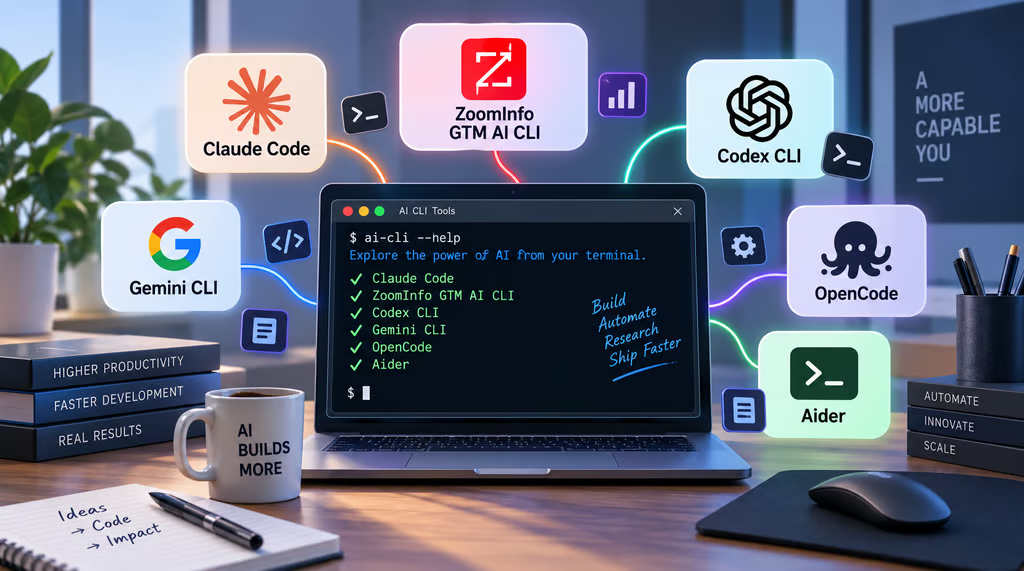


The command line has become one of the most capable places to use AI. Today’s CLI tools can inspect entire codebases, edit files, execute commands, retrieve external information, connect to business systems, and pass structured results directly into scripts and other agents.
The catch is that they increasingly solve different problems. Claude Code, Codex CLI, Gemini CLI, OpenCode, and Aider primarily focus on development workflows, while ZoomInfo GTM AI CLI applies the same terminal-first model to B2B research, enrichment, intent data, and GTM automation.
I compared all six based on task range, automation, extensibility, setup, cost, and — most importantly — what each one is actually best at.
Tool | Best for | Starting price |
|---|---|---|
| Claude Code | Complex agentic coding workflows | $17/month |
| ZoomInfo GTM AI CLI | B2B research and GTM automation | Free or custom price |
| Codex CLI | OpenAI-centric development | $20/seat/month |
| Gemini CLI | Free AI-assisted terminal workflows | Free or $4.99/month |
| OpenCode | Multi-model flexibility | Free (open source) |
| Aider | Git-first AI pair programming | Free (open source) |
Top AI terminal tools at a glance
Tool | Multi-model support | Codebase operations | Native external/business data |
|---|---|---|---|
| Claude Code | ✕ | ✓ | ✕ |
| ZoomInfo GTM AI CLI | N/A | ✕ | ✓ |
| Codex CLI | ✕ | ✓ | ✕ |
| Gemini CLI | ✕ | ✓ | ✕ |
| OpenCode | ✓ | ✓ | ✕ |
| Aider | ✓ | ✓ | ✕ |
Legend:
✓ = Core/native capability | ✕ = Not a core native capability | N/A = Not applicable
Methodology: How I evaluated CLI tools
For this guide, I compared CLI tools based on task range, context, automation, extensibility, setup, and cost. I also considered who each tool is designed for, since a developer working across a large repository has very different requirements from a RevOps analyst retrieving B2B data from the terminal.
Specifically, I looked at:
- Task range: I assessed what each tool can accomplish beyond basic code generation, from repository analysis and file editing to research, data retrieval, and other complex tasks.
- Context: I considered how effectively each tool can access and use repositories, files, project instructions, external data, and connected systems to complete a task.
- Automation: I evaluated whether each tool can execute multi-step workflows, act on intermediate results, and automate repeatable processes with limited manual intervention.
- Extensibility: I looked at support for additional models, MCP servers, plugins, APIs, custom commands, and other integrations that expand the tool’s capabilities.
- Setup and control: I reviewed installation, authentication, configuration, permissions, and the ongoing effort required to use the tool safely and effectively.
- Cost: I compared free access, subscriptions, and usage-based pricing while considering how costs can increase with heavier or more agentic workloads.

Claude Code: Best for complex agentic coding workflows
Pros
- Strong repository-wide context for complex development tasks
- Supports multi-step agent workflows, shell commands, and external tools
- Extensive customization through subagents, hooks, skills, and MCP
Cons
- More expensive than free and open-source alternatives
- Long-running agent workflows can consume substantial usage
- Advanced permissions and customization take time to configure
Why I chose Claude Code
Claude Code earns the top spot because it handles the kind of messy, multi-step development work where basic code generation alone is no longer enough. It can inspect unfamiliar repositories, trace issues across files, make changes, run tests, and react to failures without forcing the developer to coordinate every step manually.
That level of autonomy demands more care around permissions, project instructions, and usage controls. In return, its combination of subagents, hooks, skills, shell access, and external connections gives teams one of the deepest agent environments in the group for complex development work.
Key features
- Repository-aware coding: Reads and reasons across multiple project files.
- Shell execution: Runs commands, tests, builds, and development utilities.
- Subagents: Delegates specialized work to separate agent contexts.
- Hooks and skills: Supports custom behavior and repeatable workflows.
- MCP support: Connects the agent with external tools and data sources.
Claude pricing
Pro | Max | |
| Monthly price, billed annually | $17 | $100 |
| Monthly price, billed monthly | $20 | N/A |
Also read: Everything to know about Fable 5.1, Anthropic's new Claude model

ZoomInfo GTM AI CLI: Best for B2B research and GTM automation
Pros
- Brings structured B2B company, contact, and signal data into terminal workflows
- Outputs data in formats that can feed scripts, agents, and data pipelines
- Extends terminal AI beyond software-development use cases
Cons
- Specialized for B2B GTM workflows rather than general-purpose coding
- Data and AI credit limits affect free account usage
- Best suited to technical RevOps and GTM users comfortable with the command line
Why I chose ZoomInfo GTM AI CLI
What makes ZoomInfo GTM AI CLI different is the problem it solves. Instead of focusing on source code, it brings B2B company, contact, intent, and account data directly into terminal workflows that can feed scripts, agents, and data pipelines.
Its specialization means it is not a replacement for a general-purpose coding agent. For RevOps, GTM engineering, and technical revenue teams, though, that narrower focus is the advantage: it provides structured business data that the coding-oriented tools on this list do not offer natively.
Key features
- Company and contact search: Finds B2B organizations and people using defined criteria.
- Data enrichment: Adds company and contact information to existing records.
- Intent and business signals: Surfaces activity that can help identify accounts worth investigating.
- Account research: Brings company news and GTM context into terminal workflows.
- Structured output: Returns JSON, JSONL, CSV, YAML, and table formats for downstream processing.
ZoomInfo GTM AI CLI pricing
ZoomInfo GTM AI plans | Free | Enterprise |
| Starting price | $0 | Custom |
| Data credits | 1,000 | Annual volume |
| AI credits | 1,000 | Annual volume |
| Top-up packs | Starts at $20, no sales call | Annual volume + volume credits |

Codex CLI: Best for OpenAI-centric development
Pros
- Integrates naturally with the broader OpenAI development ecosystem
- Handles repository inspection, file changes, and command execution
- Supports multi-step and delegated coding workflows
Cons
- Closely tied to OpenAI’s model ecosystem
- Usage allowances depend on the ChatGPT plan
- Heavy agent use may require additional capacity
Why I chose Codex CLI
The strongest case for Codex CLI (via ChatGPT) is ecosystem continuity. Teams already using OpenAI can add agentic terminal workflows without introducing a separate model stack, while still getting repository inspection, file editing, command execution, and multi-step development capabilities.
Long or frequent agent tasks can put more pressure on usage limits, so capacity is worth monitoring. Even with that constraint, keeping terminal development connected to the broader Codex environment makes it a natural fit for organizations already standardized on OpenAI.
Key features
- Repository inspection: Examines project structure and relevant source files.
- Code editing: Creates and modifies files directly.
- Shell execution: Runs commands, tests, and development tools.
- Agentic workflows: Works through multi-step development tasks.
- Codex ecosystem integration: Connects terminal work with broader Codex workflows.
Codex CLI pricing
ChatGPT Business & Enterprise plans | Standard | Premium | Enterprise |
| Monthly price, billed annually | $20/seat | $100/seat | Custom |
| Monthly price, billed monthly | $25/seat | $125/seat | Custom |
Also read: GPT-5.6 and the New ChatGPT Desktop App: Complete Guide
Gemini CLI: Best for free AI-assisted terminal workflows
Pros
- Strong free entry point for experimenting with terminal agents
- Supports file editing, shell execution, and multi-step tasks
- Open-source with extensibility through external tools
Cons
- Primarily optimized around Google’s Gemini ecosystem
- Higher-volume usage may require paid access or API billing
- Complex repositories may require additional configuration and instructions
Why I chose Gemini CLI
Gemini CLI is the most compelling option here for developers who want to test agentic terminal work seriously without paying for another tool upfront. Its free entry point makes it practical to experiment with repository analysis, shell execution, scripting, and multi-step automation on real projects.
It is more closely tied to Google’s Gemini ecosystem than model-flexible alternatives such as OpenCode or Aider. Still, the combination of meaningful free access and capable agent workflows makes it a strong way to validate whether terminal AI is worth adopting before increasing spend.
Key features
- Terminal-native agent: Runs Gemini interactions from the command line.
- File tools: Reads and modifies project files.
- Shell tools: Executes commands as part of agent workflows.
- MCP support: Adds external tools and context.
- Scripting support: Fits into repeatable terminal automation.
Gemini CLI pricing
Google AI plans:
- Free: $0 with a Google account
- Google AI Plus: $4.99/month
- Google AI Pro: $19.99/month
- Google AI Ultra: Starts at $99.99/month

OpenCode: Best for multi-model flexibility
Pros
- Supports multiple LLM providers instead of one model ecosystem
- Open-source with extensive configuration options
- Available across terminal, desktop, and IDE environments
Cons
- Requires more setup decisions than tightly bundled alternatives
- Model costs vary depending on the provider selected
- Flexibility can complicate standardization across larger teams
Why I chose OpenCode
Model flexibility is what sets OpenCode apart from the more tightly bundled agents on this list. Developers can choose among providers based on performance, cost, privacy, or task requirements while keeping the surrounding workflow relatively consistent.
That freedom comes with more configuration and governance, particularly for teams trying to standardize model access. For organizations that value control over vendor lock-in, the extra administration is a reasonable trade for the ability to change models as requirements evolve.
Key features
- Multi-model support: Connects to multiple AI providers.
- Open-source architecture: Provides greater control over configuration.
- Multiple interfaces: Works across terminal, desktop, and IDE environments.
- MCP and plugins: Extends the agent with external tools and integrations.
- Custom commands: Supports repeatable user-defined workflows.
OpenCode pricing
- Open source: $0 (with underlying model costs determined by providers you connect)
- Go: $10/month (bundled model usage and defined usage limits)

Aider: Best for Git-first AI pair programming
Pros
- Deep Git integration makes AI-generated changes easier to review and reverse
- Supports numerous cloud and local model providers
- Includes repository mapping, testing, and linting workflows
Cons
- Less focused on autonomous multi-agent workflows than newer agent platforms
- Cloud-model costs are separate from the free software
- Interface is more developer-focused than polished commercial agents
Why I chose Aider
Aider takes a more controlled approach to AI-assisted development by keeping Git at the center of the workflow. Repository mapping, direct file editing, testing, linting, and commits all fit naturally into version-control practices developers already understand.
It does not offer the same breadth of autonomous or multi-agent orchestration as newer platforms. That narrower scope can actually work in its favor for developers who prioritize traceability, because changes remain easy to inspect, reverse, and manage while Aider still removes a meaningful amount of hands-on coding work.
Key features
- Repository mapping: Builds context across the codebase.
- Direct file editing: Applies model-generated changes to project files.
- Git integration: Works with commits and version history.
- Testing and linting: Validates code as part of the workflow.
- Multi-model support: Connects to numerous cloud and local models.
Aider pricing
Aider is open source and free to install. Users typically supply their own model credentials, so actual costs depend on the selected provider and API consumption.
How to choose a CLI tool
The right CLI tool should fit the way you already work rather than force you to redesign your workflow around the AI. Evaluate how well it handles representative tasks, connects with your existing stack, and gives your team the level of control needed for day-to-day use.
1. Start with the task, not the model.
Decide what you actually want the CLI tool to accomplish before comparing models or benchmarks.
Repository-level development points toward products such as Claude Code, Codex CLI, Gemini CLI, OpenCode, or Aider. Specialized business-data workflows require a different type of product.
Example: “I want AI in my terminal” is too broad. “I want an agent to debug multi-file Python services and run the test suite before committing” gives you something meaningful to evaluate.
2. Decide how much autonomy you want.
Some products operate more like pair programmers, while others can execute longer chains of actions with less supervision.
Greater autonomy can save time, but it increases the importance of permissions, Git history, sandboxing, and human review.
Example: If the agent can execute shell commands and modify dozens of files, test its permission model on a disposable repository before using it on production work.
3. Check what context it can access.
An agent is only as useful as the context it can reach. That could include repository files, shell commands, web content, MCP servers, databases, business applications, or external APIs.
Example: If your workflow depends on project management issues, CRM records, or internal documentation, verify how that information reaches the agent rather than assuming the model already knows it.
4. Compare model flexibility.
A bundled product can be simpler to manage. A model-agnostic one can give you more control.
OpenCode and Aider make model choice a central part of the experience, while Claude Code, Codex CLI, and Gemini CLI are more closely aligned with their respective vendors’ model ecosystems.
Example: If your team needs local models for some repositories and cloud models for others, provider flexibility may matter more than the default model benchmark.
5. Test the full workflow.
Do not benchmark an agent on one generated function. Give each shortlisted CLI tool something representative of your actual work.
Example: Ask it to investigate a real bug, modify several files, run tests, explain the changes, and recover from one failed attempt.
That tells you more than asking six products to generate the same todo app.
6. Compare total cost, not just subscription price.
Some agents bundle usage into subscriptions, while others provide a free interface that connects to paid APIs. Long-running agents can also consume substantially more tokens than a typical chat interaction.
Example: Run each finalist on the same representative workflow for a week and track completion quality, intervention required, and actual usage cost.
Where AI terminal agents still go wrong
AI terminal agents are powerful because they can act directly inside your working environment rather than simply suggest what to do. That added autonomy makes the limitations more important, especially as teams move from assisted use to longer or more automated workflows.
- Excessive permissions: File, shell, and external-system access increase the consequences of a bad instruction.
- Weak context: Repository access does not automatically teach an agent your architecture or business rules.
- Unreviewed output: Generated code still needs testing, security checks, and human review.
- Runaway usage: Long agent loops can consume far more tokens than ordinary chat interactions.
- Unnecessary automation: If a deterministic shell script already solves the task reliably, an AI agent may add complexity rather than remove it.
Frequently asked questions
What is an AI CLI tool?
It is a command-line interface that lets you interact with an AI model or agent directly from the terminal. Depending on the product, it may inspect repositories, edit files, execute commands, retrieve external data, or automate multi-step workflows.
Are AI terminal tools only for developers?
No. Coding remains a major use case, but terminal AI can also support research, data processing, file management, RevOps, and business automation. The important question is whether the product can access the data and systems required for your workflow.
Which AI terminal tool is easiest for beginners?
Gemini CLI has a strong free entry point for developers experimenting with agentic terminal workflows. Aider can also be approachable for developers already comfortable with Git, while paid products such as Claude Code and Codex offer broader agent capabilities.
Is Claude Code better than Codex CLI?
It depends on the workflow and ecosystem. Claude Code is particularly well suited to configurable, multi-step agentic work, while Codex CLI is attractive for developers already using OpenAI’s broader development environment. Test both on representative tasks from your own repository rather than choosing from generic benchmarks alone.
Can AI terminal agents run commands automatically?
Yes. Many can execute shell commands and use other tools as part of a multi-step task. Because permission models vary, review approval settings, sandboxing, and access controls before allowing autonomous execution.
Are open-source AI terminal tools free?
The software can be free while the underlying AI model is not. OpenCode and Aider can connect to paid model APIs, so usage may still create costs even when the software itself has no subscription fee.
